
 @zus12873
dsh-cinematic-wallpaper
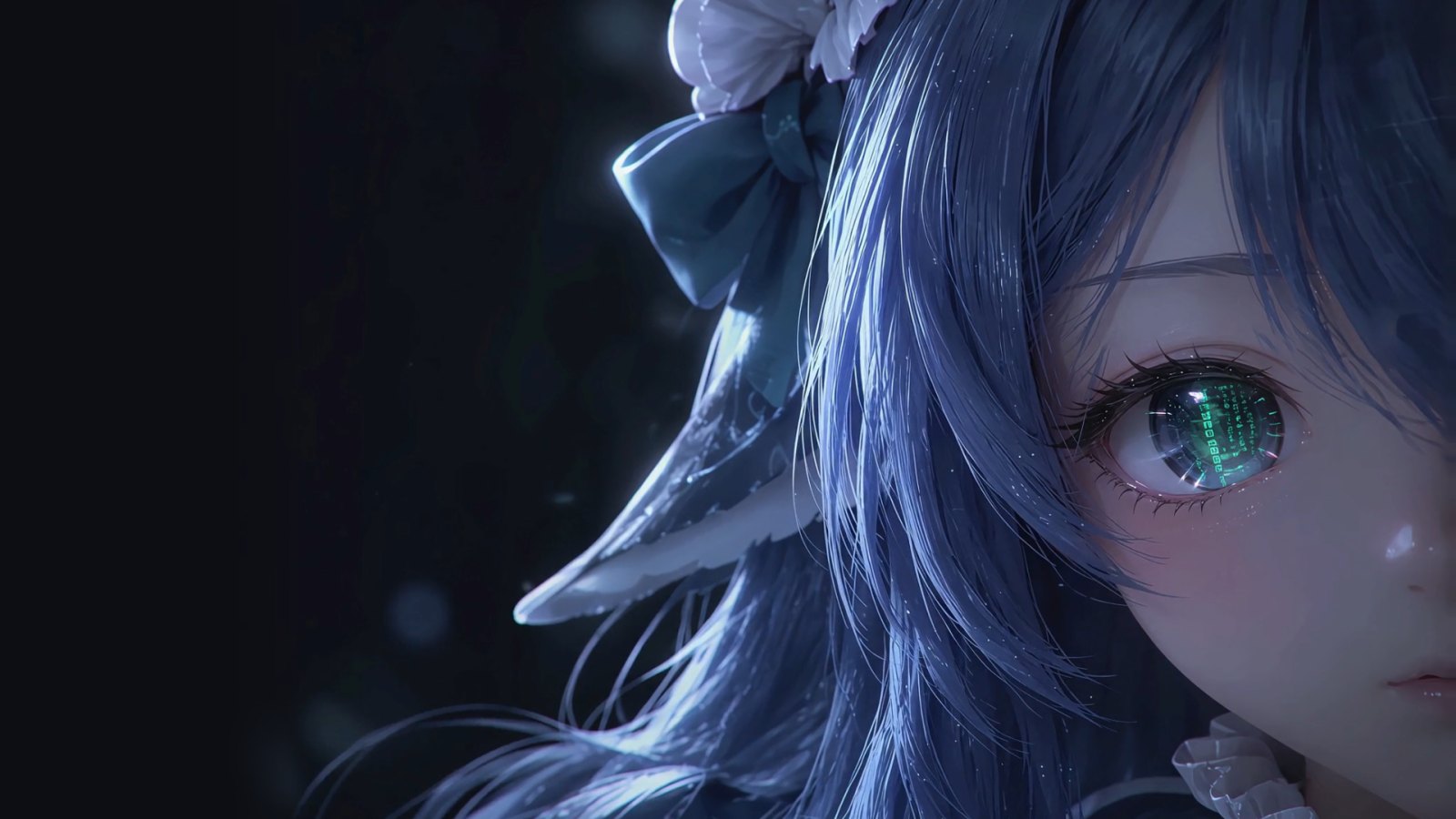
Cinematic intro and live wallpaper for the DeepSeek Harness (DSH) web UI: a character awakens on every page load, then stays behind the UI as an animated background with adaptive text colours.
- Stars
- 0
- Language
- TypeScript
- Created
- Oct 24, 2026
- Updated
- Oct 25, 2026
Introduction
dsh-cinematic-wallpaper
English | 中文
A DeepSeek Harness (DSH) web plugin. Every time the page opens, a character awakens in a 7-second cinematic intro; then the scene settles behind the DSH UI as an animated session wallpaper, and the UI's text colours adapt to whatever is behind them.

What it does
- Intro (7 s).
- The first 2.7 s play the film's line-art beat (light strands, wireframe, face scan). It comes from a cut-out clip whose baked-in HUD has been removed frame by frame.
- From there the animation is code-driven: the eye opens, the iris flares green, the camera pushes in.
- The HUD (logo, wordmark, status list, terminal, corner marks) is drawn in code.
- Click, or press any key (IME input included), to skip. Keys pressed during the intro never reach the composer.
- Handoff (0.9 s). The left HUD fades out and the DSH UI fades in.
- Session wallpaper.
- The character stays behind the UI, with the right-hand corner marks.
- An AI-generated idle loop plays over it: the hair sways at half speed, played forward then back, about 24 s per cycle.
- The canvas redraws at most 30 fps while the loop plays, and 10 fps without it.
- Translucent UI. There is no fog over the wallpaper in either theme. DSH's surfaces follow its theme as translucent layers, the composer especially so: 28 % opaque in the light theme, 30 % in the dark one.
- Adaptive text colour.
- Each visible piece of text (and each icon and placeholder) takes the light or dark text colour that contrasts best with what is really behind it: the wallpaper under it, with the UI's translucent surfaces composited on top. It also gets a faint halo.
- Text on opaque surfaces keeps DSH's colours. Coloured text keeps its colour and only gains the halo.
- Colours are recomputed on resize, theme change, UI changes and scrolling, and once a second while the loop plays.
- Fallbacks.
- With "reduce motion" on, the intro is skipped and the wallpaper is a still.
- A hidden tab pauses everything.
- The DeepSeek assets get 4 s to load. If they don't make it, the DeepSeek intro and the DeepSeek wallpaper give up: the layer removes itself and DSH works as usual. Your own intro and background don't need those assets, so with your own intro or none, your own background still shows.
- A missing clip only drops the line-art beat. A missing loop leaves a still wallpaper.
Install
Requires DSH >= 0.1.5-rc.1 and its web profile.
From the release package (prebuilt, includes the two videos):
dsh plugin --profile web add https://github.com/zus12873/dsh-cinematic-wallpaper/releases/latest/download/dsh-cinematic-wallpaper.tgz
dsh web
Restart dsh web after installing or updating. Check that the host half is mounted:
curl http://127.0.0.1:3080/dsh-cinematic-wallpaper/health
Uninstall:
dsh plugin --profile web remove dsh-cinematic-wallpaper
This plugin covers the same ground as boot-animation and wallpaper plugins, and with one of those installed the two stack on top of each other. Remove them while using this one.
Switching the intro and background
The DeepSeek intro and wallpaper are the defaults. Either can be replaced with your own media, and the intro can be turned off.
- Put the files in the media folder,
~/.dsh/dsh-cinematic-wallpaper/media/. The folder is created the first time the settings tab reads it.- Videos:
.mp4,.m4v,.webm. A video can be the intro or the background. - Images:
.jpg,.jpeg,.png,.webp. An image can only be the background. - Copy the files in: only plain files directly in the folder are listed, not symlinks or sub-folders.
- To use another folder, set the host plugin option
mediaDirto an absolute path or~/…. A relative path is ignored (with a warning) and the default folder is used.
- Videos:
- Open Settings → Plugins → Intro & background and pick a card under Intro and under Background. Press Refresh after adding files.
- When it applies. The background switches at once, with a crossfade. A new intro applies the next time DSH opens.
- A file that goes missing. If the chosen file is gone or can't be played, the intro is skipped and DSH opens straight to its UI, and the background falls back to DeepSeek's. The tab marks a chosen file that is no longer in the folder File missing.
- Limits. Your own intro and background play muted. They fill the window (cover-fit, centred), so the edges of media with a different aspect ratio are cropped.
- DSH version. This needs a DSH whose settings service lets a plugin register its own namespace (verified on DSH 0.1.5-rc.2). DSH 0.1.7 and later may not; there the tab says it can't save these settings and locks its cards, and the plugin keeps the DeepSeek defaults. A save the host refuses for any other reason shows "Couldn't save" and puts the stored choice back.
Build from source
git clone https://github.com/zus12873/dsh-cinematic-wallpaper.git
cd dsh-cinematic-wallpaper
npm ci
npm run build
dsh plugin --profile web add link:"$PWD"
The two videos (assets/clip.mp4, assets/loop.mp4) are not in Git. Without them the plugin still runs, but without the line-art beat and the idle loop. To get them, take them from the release package:
curl -L -o /tmp/dcw.tgz https://github.com/zus12873/dsh-cinematic-wallpaper/releases/latest/download/dsh-cinematic-wallpaper.tgz
tar -xzf /tmp/dcw.tgz -C assets --strip-components=2 package/assets/clip.mp4 package/assets/loop.mp4
Change the HUD layout
Every HUD element is a row of the LAYOUT table in src/client/layout.ts:
anchor: the window corner it is pinned to,tl/tr/bl/br;x/y: design coordinates on a 1920×1080 frame;scale(optional): multiplies the group's scale;intro/hold: whether it shows during the intro / on the wallpaper;holdAt(optional): a separate{ anchor, x, y, scale }for the wallpaper; the handoff moves it there smoothly.
Run npm run build and restart dsh web after a change.
Development
npm run dev # http://127.0.0.1:5181
/?mode=play&t=3.0: scrub or play the intro./?mode=compare&t=3.0: the code render and the source film side by side./?mode=mock: the real runtime over a stand-in DSH shell (handoff, theme tokens, keys).
play and compare overlay the source film from .cache/reference.mp4, which authoring.measure --proxy makes from it.
Regenerating the assets
The pipeline in authoring/ is Python, run through uv. It does two things:
- turns the source film into the plate, the closed-eye patch, the manifest and the line-art clip;
- turns an AI-generated idle clip into the loop.
The hand-measured values in authoring/regions.py belong to that one film, and neither the film nor the idle clip is distributed, so the pipeline is only useful with the same sources:
uv run --group authoring python -m authoring.build_assets --video <film.mp4> --out assets --debug .cache/debug
uv run --group authoring python -m authoring.build_loop --source <idle-clip.mp4> --out assets
uv run --group authoring python -m authoring.fonts --out assets/fonts
build_loop does the following:
- matches the idle clip's first frame to the still to find the area it covers;
- grades the clip's tones back to the still's;
- plays it forward and back at half speed, with motion-compensated in-betweens;
- records in the manifest how wide its left fade can be without crossing the hair.
Tests
npm test && npm run typecheck
INTRO_FILM=<film.mp4> IDLE_CLIP=<idle-clip.mp4> uv run --group authoring pytest authoring/tests -q
Tests that need the film or the idle clip are skipped when those variables are not set.
License
MIT. The font subsets in assets/fonts/ are Exo 2, Rajdhani and JetBrains Mono, under the SIL Open Font License 1.1 (assets/fonts/OFL-*.txt).
This is a community plugin, not affiliated with DeepSeek. "DeepSeek" is a trademark of its owner.