
 @zhang-guo-wen
dsh-web-design
Web design for DeepSeek Harness: preview and edit HTML elements in the Sidebar
- Stars
- 0
- Language
- TypeScript
- Created
- Sep 23, 2026
- Updated
- Oct 20, 2026
Introduction
dsh-web-design
English | 中文
What problem does it solve?
AI-generated prototype pages often include descriptions and sections you never asked for. Removing them can take repeated back-and-forth with the AI.
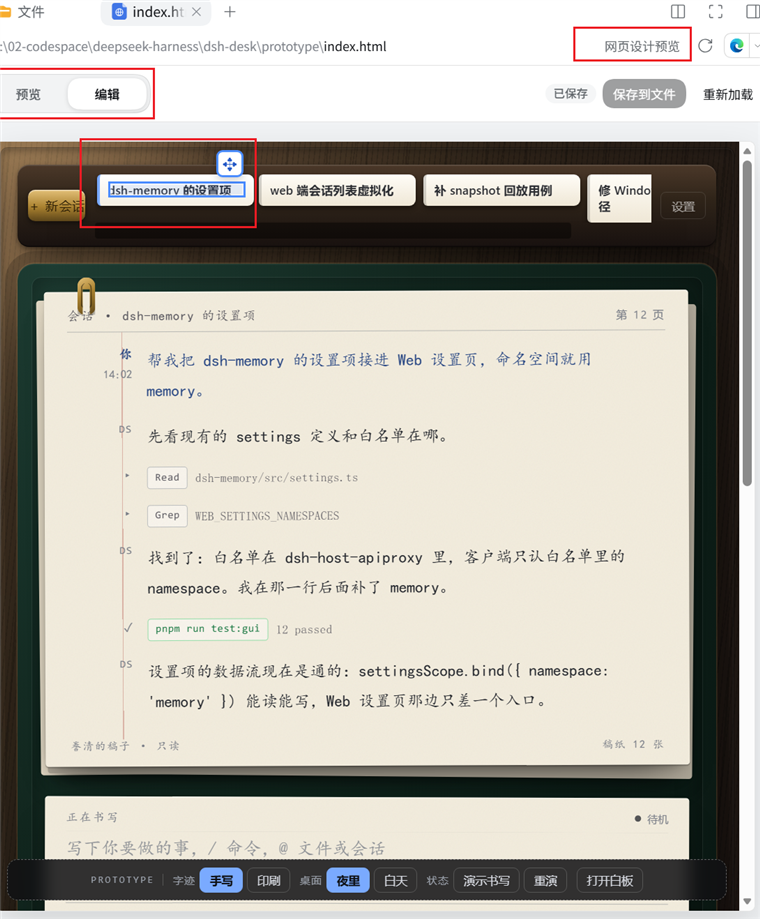
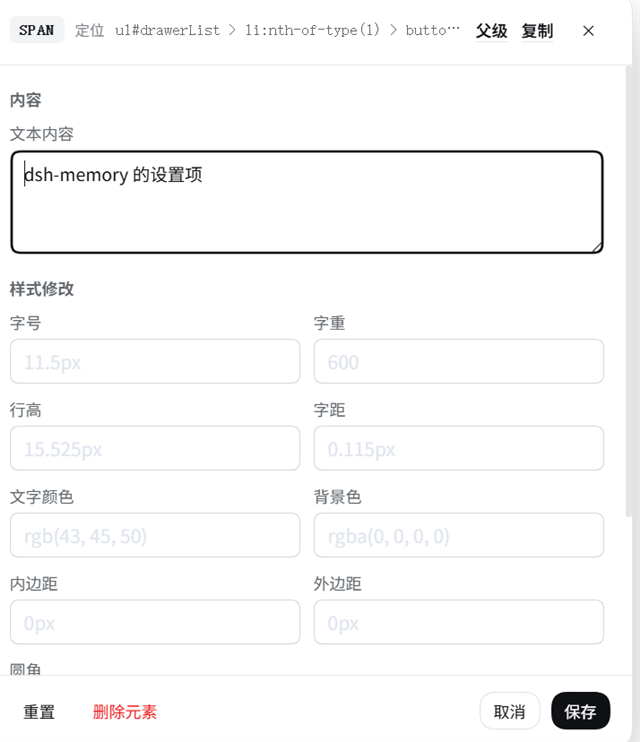
This DeepSeek Harness plugin lets you delete sections and edit text directly in the HTML preview, adjust styles and positions, and save the changes to the HTML file—without asking the AI to make each change.
In the plugin list, display names and descriptions follow the Harness language setting in English or Chinese (English is the default fallback); English names use the package name without its npm scope, Chinese names describe the purpose, and installation still uses the unchanged real package name.
Screenshots
Install
npx @deepseek-ai/dsh plugin --profile web add @guowenzhang/dsh-web-design
Restart DSH after installation. Open an .html or .htm file in the Sidebar, switch to Edit, click to select an element, and double-click to open its editor. After editing, click Save to file.
Notes
- The HTML source changes only when you click Save to file. Preview edits are stored in
<filename>.design.jsonbeside the HTML file until then. - To change text, select the specific text element. Elements with multiple direct text runs cannot be replaced directly.
- Elements generated by scripts or not uniquely locatable in the source are skipped when saving. Use unique, stable
idvalues for editable elements and check the result after saving. - Relative CSS, JavaScript, image, and font references may not load in the preview. Single-file prototypes with inline styles and scripts are recommended.
License
Apache-2.0; see also NOTICE. The runtime dependencies parse5 and @deepseek-ai/dsh-atomic-write are both MIT-licensed.