
 @zhang-guo-wen
dsh-ui-beautify
Page beautification for DeepSeek Harness: ship open-source CJK webfonts and let the Web GUI pick its body font
- Stars
- 1
- Language
- JavaScript
- Created
- Sep 23, 2026
- Updated
- Oct 20, 2026
Introduction
@guowenzhang/dsh-ui-beautify
English | 中文
Background
A third-party interface enhancement plugin for DeepSeek Harness, focused on mobile usability: making conversations, the sidebar, and settings easier to use on small screens.
It also offers independent body and code font choices, custom logos, icons, names and welcome taglines, and translation of English skill and plugin descriptions into the interface language using the default model. Other improvements include recent conversation tabs, upward navigation through your sent questions, a floating one-line preview of the round you are reading that jumps back to its start, a composer light beam, and desktop quick replies.
Every choice on the settings page reports its own write: the row says it is saving, confirms when the value landed, and offers a retry when the Host refuses it. The name and tagline fields wait for an input method to finish before they commit, so confirming a candidate never saves half a word.
On phones whose browser predates the newest JavaScript APIs, the plugin completes the ones the PDF engine calls, so PDF and Word/PowerPoint previews open instead of failing with ... is not a function.
Installation
Requires DeepSeek Harness 0.2.0-rc.1 or newer. This example uses the web profile:
npx @deepseek-ai/dsh plugin --profile web add @guowenzhang/dsh-ui-beautify
Restart the corresponding host and reload the browser, then open Settings → UI Beautify. Click Translate descriptions to generate translations; this uses the default model's quota, caches results, and leaves original files unchanged.
Translations sharing the same local data directory are deduplicated across host processes, including recovery after an owner exits. Unknown locks are preserved rather than deleted. Recovery retains small generation-marker directories to prevent stale processes from taking a newer lock; do not clean these markers while any host is running.
Recent conversations
Recent conversations have their own switch in Settings → UI Beautify and do not require the code work view or mobile adaptation. The strip shows up to five eligible conversations in activity order; selecting one does not reorder it. Tabs use the host theme tokens in light and dark mode, including when the host has no conversation/trace tab bar.
Enabling or disabling the code work view moves the same strip into or out of the host tab bar. Without that bar, the strip spans the header width and scrolls horizontally when needed. Desktop conversation/trace tabs remain available; at widths of 600px or less, only the recent tabs are shown in that bar. A host-native recent strip takes precedence. Disabling recent conversations or unloading the plugin removes its strip and restores the host tabs.
For development, npm run test:recent runs catalog/status tests and a real Chrome/React fixture at 1200, 601, 600 and 393px, including delayed tab bars, removal/reappearance, session navigation and cleanup. It uses the existing desktop-profile Playwright installation and local Chrome; set DSH_MOBILE_PLAYWRIGHT and DSH_MOBILE_CHROME to use other installations. It does not launch or change a running DSH host.
Screenshots
1. Settings
Appearance, interface enhancements, and branding are grouped in Settings → UI Beautify.
| Appearance | Interface enhancements | Branding |
|---|---|---|
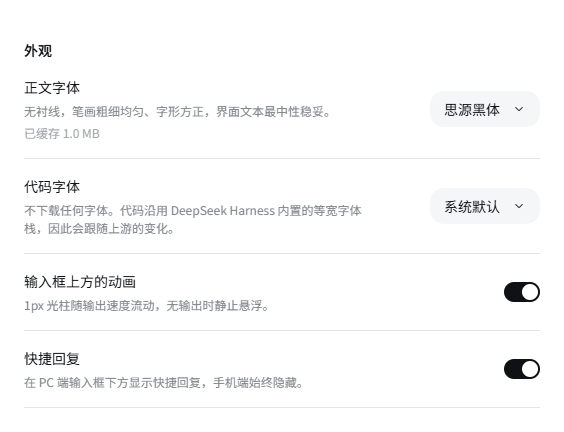 | 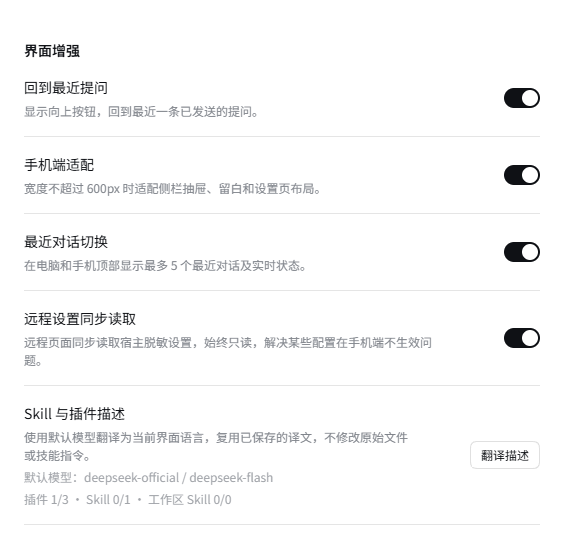 | 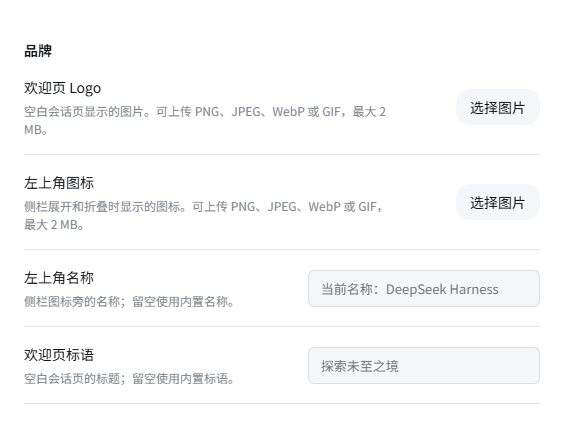 |
2. Mobile adaptation
These screenshots use the same demo conversation and the same 393 × 844 phone viewport. On the left, this plugin's mobile layout and recent conversation switches are off; on the right, both are on. The settings comparison changes only the mobile layout switch. Numbered annotations highlight the differences.
Conversation comparison
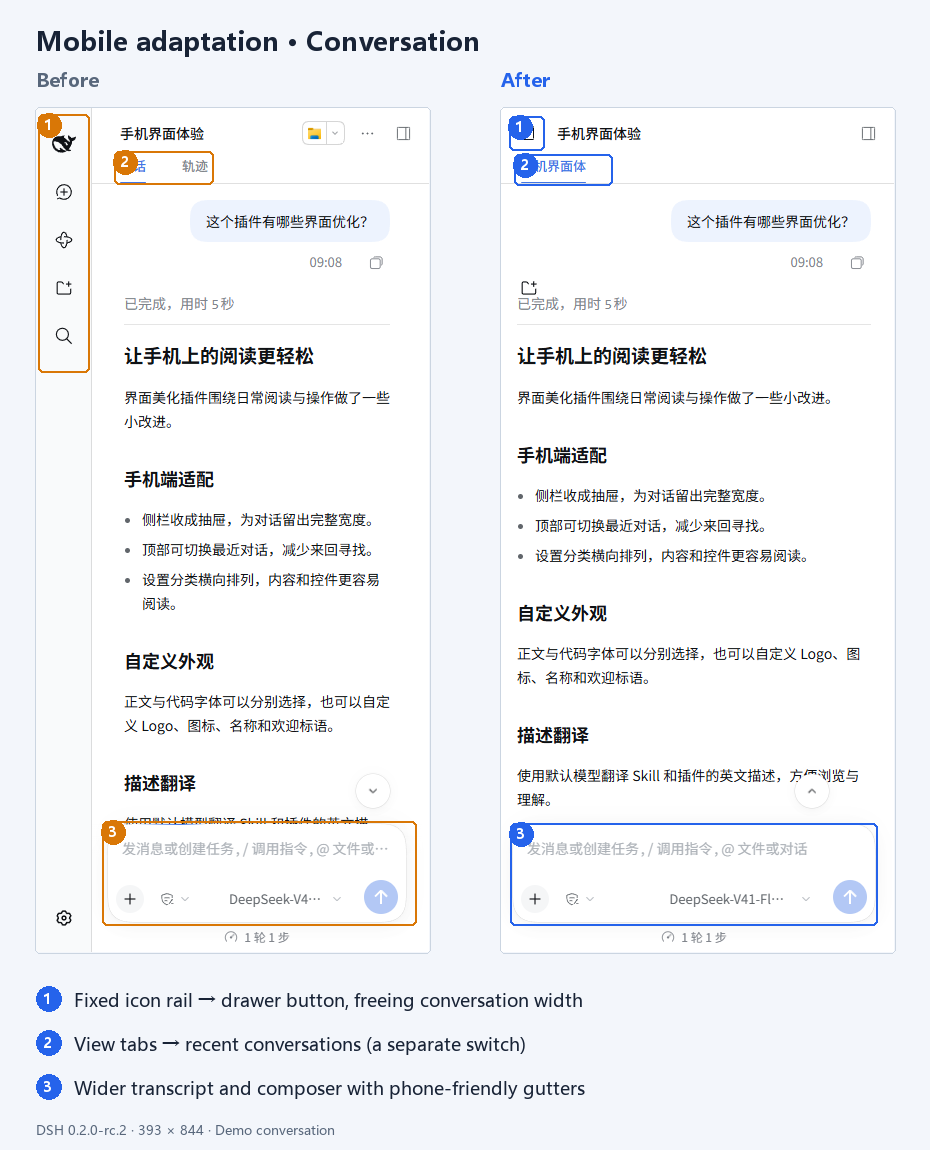
- More room for the conversation: the fixed icon rail becomes a top-left drawer button.
- Easier conversation switching: recent conversations appear at the top; this has its own switch.
- Better reading and input space: the transcript and composer use phone-friendly widths and gutters.
Settings comparison
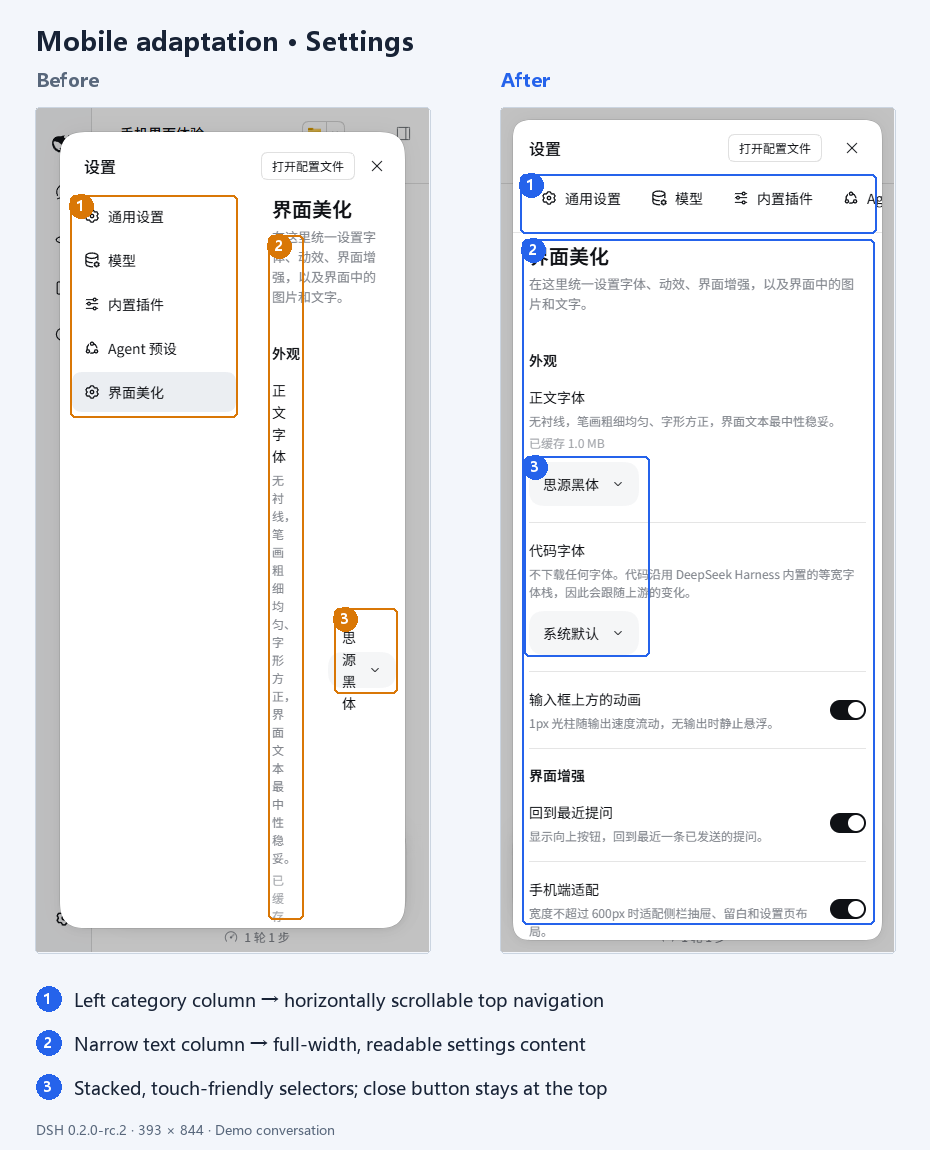
- Horizontal categories: swipe through categories without giving up content width to a left navigation column.
- Full-width content: descriptions have more room and need fewer line breaks.
- Touch-friendly controls: font selectors and similar controls stack below descriptions, while the close button stays at the top.
3. Phone compatibility
Before this fix, every PDF and Office preview on a phone without those APIs showed this message next to a retry button:
![Phone screenshot of the message "Cannot display PDF: this[#methodPromises].getOrInsertComputed is not a function", before the fix](https://raw.githubusercontent.com/zhang-guo-wen/dsh-ui-beautify/HEAD/docs/images/pdf-preview-before-fix.png)
License
The plugin is licensed under Apache-2.0; see LICENSE.
No font files are distributed with the plugin. Fonts downloaded on demand retain their original licenses: SIL Open Font License 1.1 for the fonts, and additionally MIT for the LXGW WenKai webfont npm packaging code. See NOTICE for third-party declarations.