
 @xbbkok
dsh-taisho-ink
A Taisho-era ink-and-crimson theme for the DeepSeek Harness Web UI. DSH 插件:大正墨染界面主题。
- Stars
- 0
- Language
- JavaScript
- Created
- Oct 21, 2026
- Updated
- Oct 21, 2026
Introduction
dsh-taisho-ink
A Taishō-era ink-and-crimson theme for DeepSeek Harness.
Washi paper and ink by day, ink and ember by night — with drifting embers, wisteria petals and a nichirin-sun crest. The palette is applied through theme tokens, so layout, controls and behaviour stay the host's.
A theme bundle for DeepSeek Harness.





中文 · English
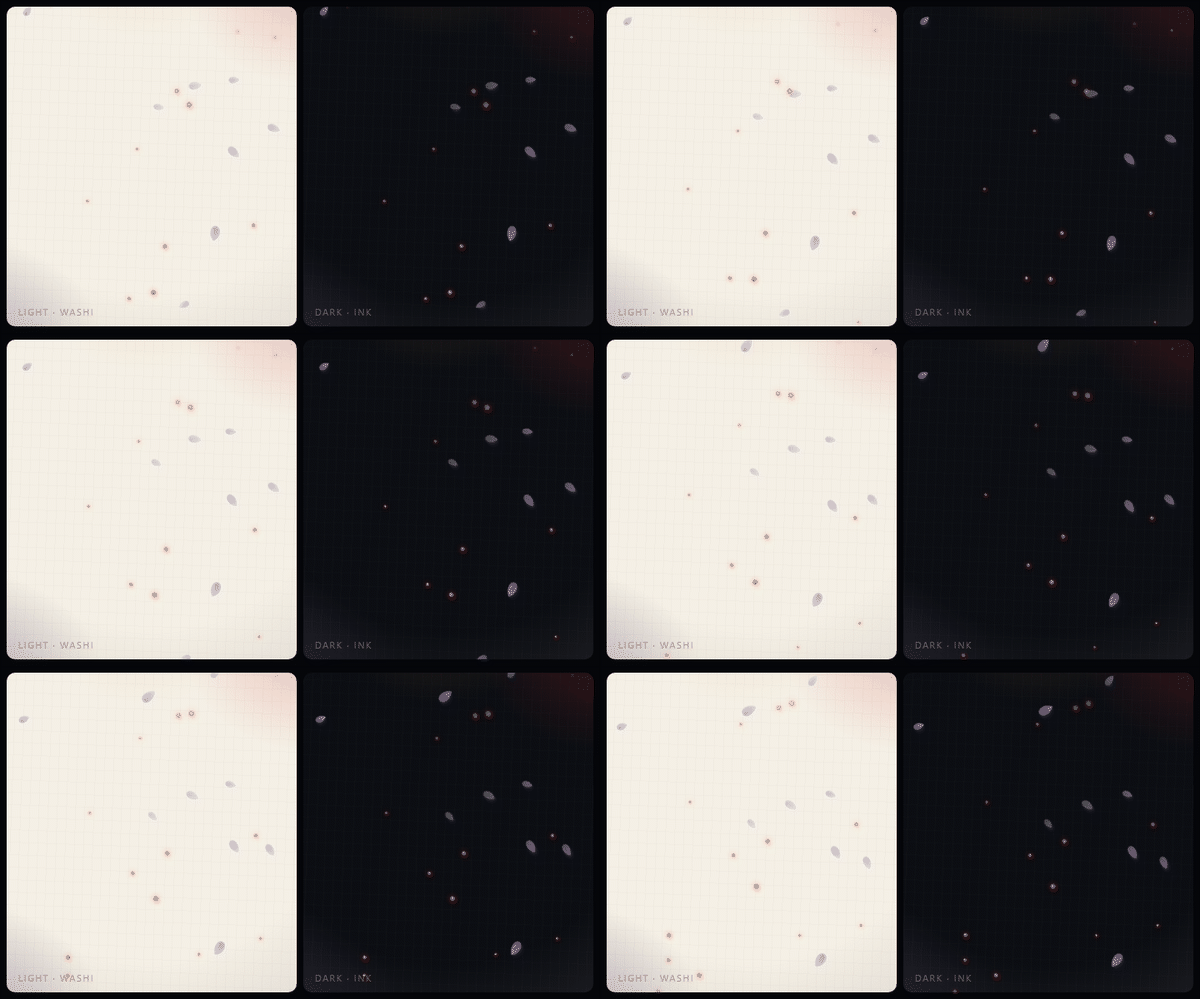
The ambience layer, rendered from this plugin's own stylesheet in a browser — light · washi on the left, dark · ink on the right. The particles are CSS-only; no script animates them, and the same keyframes run in the app.
Why
Harness ships one neutral palette. Recolouring it by hand means fighting hashed
class names, and a second stylesheet breaks whenever the shell changes. This
package does neither: it overrides the documented --dsw-alias-* variables
through the theme service, and adds one click-through ambience layer beside the
existing UI — so the shell keeps owning its own layout.
What it changes
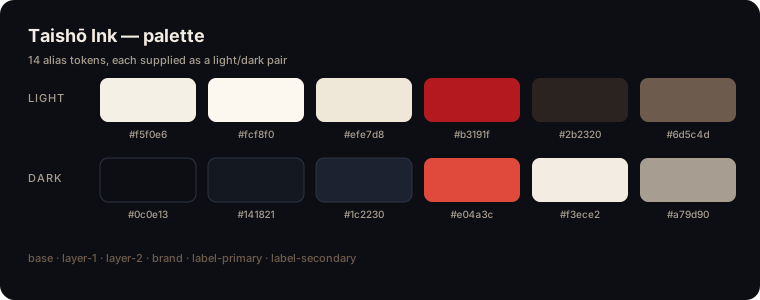
| 🎨 Palette | 14 alias tokens: base and layered surfaces, borders, brand accent, labels, states, sidebar fill |
| 🌗 Light / dark | Both palettes are supplied at once and follow the Appearance switch |
| 🔥 Embers | 18 particles rising from the bottom edge, swaying as they fade |
| 🌸 Wisteria | 10 petals falling and swinging, in low-opacity violet |
| 🗡️ Crest | A crimson sun, a nichirin blade and a gold ring before the blank-session headline |
| ✨ Details | Crimson text selection and a rounded, brand-tinted scrollbar |
| ♿ Reduced motion | Particles and animations stop under prefers-reduced-motion: reduce |
| 🌐 Localized | English and Chinese display metadata; the plugin row follows the DSH language |
| 📦 Self-contained | No images, no fonts, no network, no storage — tokens, CSS and inline SVG only |
Palette
| Token | Light | Dark |
|---|---|---|
--dsw-alias-bg-base | #f5f0e6 | #0c0e13 |
--dsw-alias-bg-layer-1 | #fcf8f0 | #141821 |
--dsw-alias-bg-layer-2 | #efe7d8 | #1c2230 |
--dsw-alias-bg-overlay | #fffbf3 | #171c26 |
--dsw-alias-border-l1 | #ded1ba | #2c3343 |
--dsw-alias-border-l2 | #c8b694 | #455068 |
--dsw-alias-brand-primary | #b3191f | #e04a3c |
--dsw-alias-label-primary | #2b2320 | #f3ece2 |
--dsw-alias-label-secondary | #6d5c4d | #a79d90 |
--dsw-alias-state-error-primary | #c62828 | #ff5b50 |
--dsw-alias-state-idle-primary | #b5a693 | #6a7280 |
--dsw-alias-state-success-primary | #2f7d5f | #4fae8a |
--dsw-alias-state-warn-primary | #c98612 | #e8b04a |
--dsw-specific-sidebar-fill | #ece2d0 | #090b10 |
Install
As a bundle (recommended)
The package declares dsh.bundle.patch, so the official CLI also mounts the
plugin row:
dsh plugin --profile web add github:xbbkok/dsh-taisho-ink
Use desktop instead of web on the desktop app, then reopen DSH.
From a local checkout
Append an insert entry to the profile's cordis.patch.yml. The loader uses
import(), so the specifier must be a file:// URL — a bare Windows path
fails silently:
- insert:
    - id: dsh-taisho-ink
      name: 'file:///C:/path/to/dsh-taisho-ink/lib/index.js'
Profile patch locations:
| Build | Path |
|---|---|
| Desktop | %USERPROFILE%\.dsh\profiles\desktop\cordis.patch.yml |
| Web | %USERPROFILE%\.dsh\profiles\web\cordis.patch.yml |
The row is keyed by id, so a later bundle install overrides the same row instead of mounting a second copy.
Usage
There is nothing to configure. After install, the theme applies immediately:
- Open Settings → Plugins to confirm the row is enabled.
- Appearance still switches light / dark / system — both palettes are part of the theme.
- Disable or remove the bundle to get the stock palette back; every registration is disposed with the plugin.
How it works
The browser half registers three things, all inside apply:
| Registration | Purpose |
|---|---|
ctx.theme.overrideTokens('dsh-taisho-ink', TOKENS) | The 14 alias tokens as { light, dark } pairs; stacked above the active theme and removed on unload |
shell.overlay entry dsh-taisho-ink.atmosphere | The click-through glow, washi texture, embers and petals; the stylesheet lives in this component and disappears with it |
conversation.hero.brand.mark | The crest shown before the blank-session headline |
No DOM outside the plugin's own components is written, no class name of the host is targeted, and no data is stored or fetched.
Compatibility
- DeepSeek Harness 0.2.x, web client (desktop and browser).
- Slots used:
shell.overlay,conversation.hero.brand.mark. - No Host service, route, tool or setting is registered.
Development
.
├── lib/index.js        Host half — no behaviour, only the Loader row
├── lib/client.js       Browser half — tokens, ambience, crest
├── locale/en.json      Plugin Manager title and description (default)
├── locale/zh.json      Chinese metadata
├── icon.svg            Plugin list artwork
├── docs/palette.svg    Palette card used by this README
├── docs/ambience.gif   Animated ambience preview
├── docs/preview.html   The stage that renders the preview from the plugin CSS
├── test/run-tests.mjs  Offline checks
└── .github/workflows   CI
npm test
No build step and no runtime dependencies: lib/client.js is the shipped
browser script. The suite validates the manifest, the patch row, the locale
metadata, the artwork, the bundle shape and the slot ids, and fails if a local
path or credential-shaped string is found anywhere in the repository.
Credits
The aesthetics reference Taishō-era print and anime colour language; all vector artwork in this repository is original. This project is not affiliated with, endorsed by, or sponsored by any anime, game or character rights holder.
License
MIT © 2026 xbbkok