
 @wbaws
dsh-scenery
Capy-style ambient background for the DeepSeek Harness (DSH) workspace: custom image + very large bottom black gradient + soft radial aura around the composer. Additive plugin - existing UI untouched.
- Stars
- 0
- Language
- JavaScript
- Created
- Sep 9, 2026
- Updated
- Sep 9, 2026
Introduction
dsh-scenery
Capy-style ambient background for the DeepSeek Harness (DSH) workspace — an image, a very large bottom black gradient, and a soft radial “aura” around the composer, so the UI looks like it is sitting inside the scene instead of floating on a flat colour.
Additive only. This plugin adds one click-through layer behind the conversation column. It does not redesign anything, does not touch the layout of existing components, and — unless you flip the switch — changes absolutely nothing about the way DSH looks or behaves.
| Scenery on — semi-full scene | Scenery on — barely there |
|---|---|
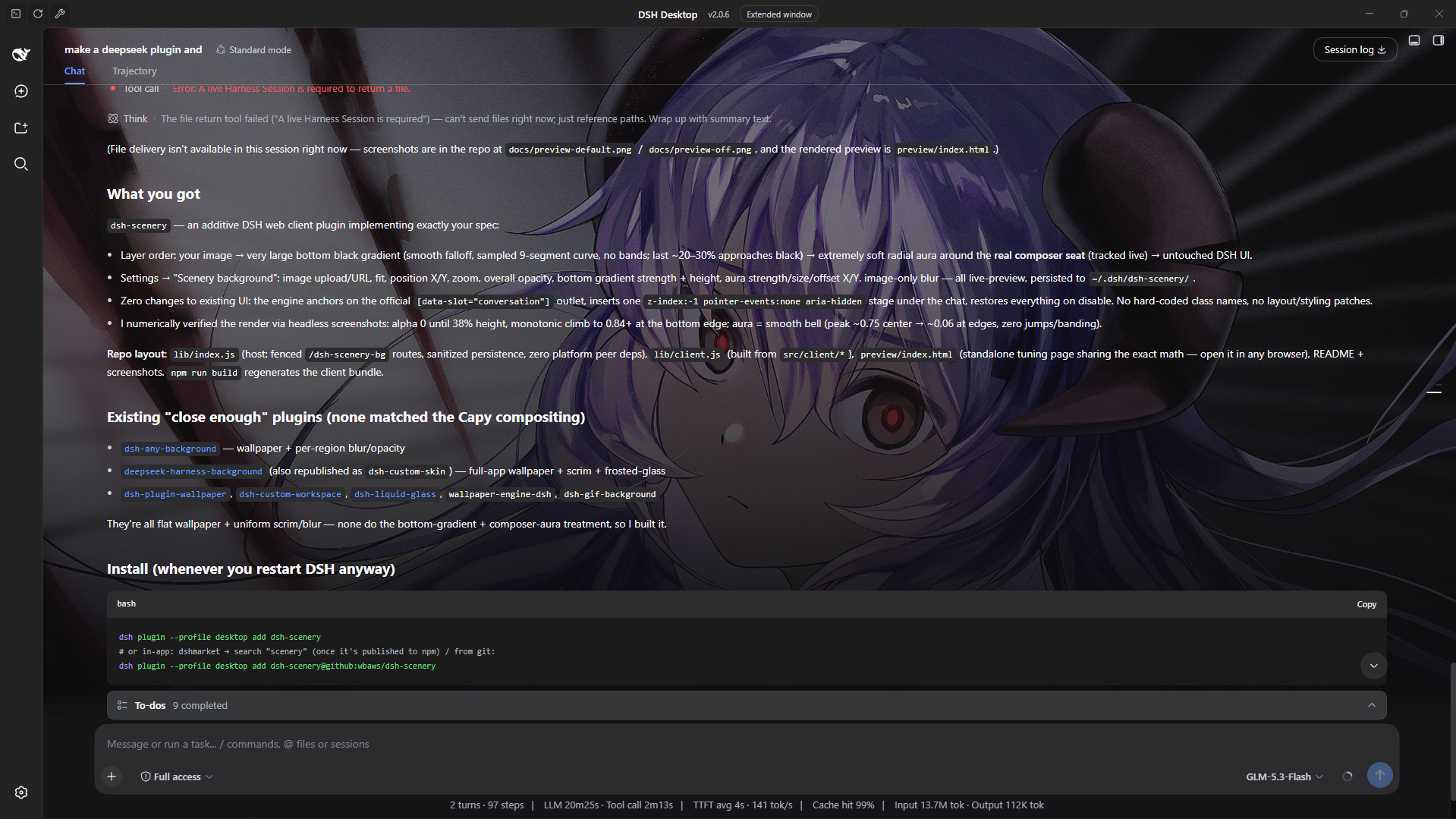 | 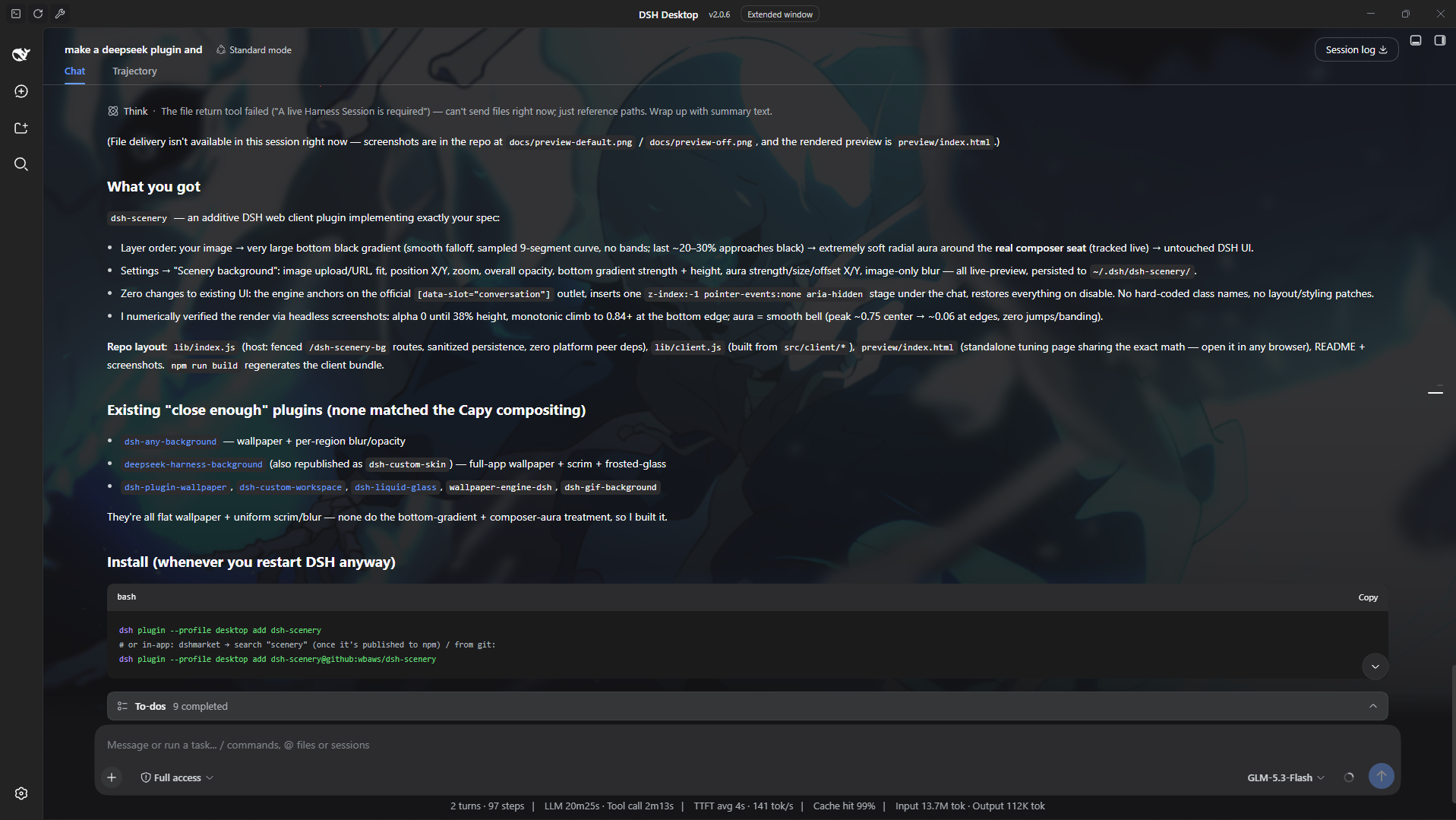 |
Screenshots above show the effect live in DSH. Crank the opacity up and the image, bottom gradient and composer aura sit clearly behind the conversation; dial it right down and you get just a whisper of atmosphere — enough to make the workspace feel alive without stealing focus while you work. Every setting is live-previewable: the bundled standalone page (
preview/index.html) renders the exact same compositing math in any browser, so you can tune a look here before it goes anywhere near your real setup.
What it does
Layering (bottom → top):
① your image                (fit / pan / zoom / blur / opacity)
② large bottom black gradient   (soft, no bands; grows gradually, the last
                                 ~20–30% approaches black)
③ radial “aura” around the composer (very soft ellipse, black centre fading
                                 to nothing — no visible edge)
④ existing DSH UI            (completely untouched)
The aura tracks the real composer seat inside the conversation column (sticky bottom bar), so it stays glued to the input area as you resize the window or drag columns.
Controls (Settings → Scenery background)
| Setting | Meaning |
|---|---|
| Enable | master switch — off by default |
| Image | upload a local picture (PUT to the host, stored under your DSH home) or paste an http(s) image URL |
| Fit | cover (crop-to-fill) / contain / fill |
| Position X/Y | object-position pan, % |
| Zoom | extra scale, 0.5×–3× |
| Overall opacity | dims image + overlays together toward the app surface |
| Bottom gradient strength | peak blackness of the big bottom gradient |
| Bottom gradient height | how much of the stage the gradient spans (from the bottom) |
| Aura strength | blackness of the composer aura |
| Aura size | ellipse radii multiplier |
| Aura offset X/Y | fine-tune aura centre relative to the auto-tracked composer |
| Image blur | gaussian blur of the image only — UI text stays crisp |
Every control previews live; Save persists to the host. There is also a Reset (restores defaults and clears the current image) — it asks once before it commits.
Persistence: ~/.dsh/dsh-scenery/config.json (+ uploaded wallpaper.* file,
or $DSH_HOME/dsh-scenery/ when DSH_HOME is set). A localStorage mirror
makes the background apply instantly on page load before the config round
trip.
Install
Published on npm as dsh-scenery (this repo).
# official CLI (any profile)
dsh plugin --profile desktop add dsh-scenery

# or from the in-app plugin market (dshmarket → search "scenery")
# or straight from this repo:
dsh plugin --profile desktop add dsh-scenery@github:wbaws/dsh-scenery
Restart / reload DSH, open Settings → Scenery background, pick an image, flip Enable. Done. (No code from Capy is used — only the general visual technique, re-implemented in plain CSS.)
How it works (brief)
Client half (lib/client.js, served at /plugins/dsh-scenery/client.js):
- Locates the conversation workspace through the official slot anchor
[data-slot="conversation"](no hard-coded class names). - Inserts one absolutely positioned
z-index:-1,pointer-events:none,aria-hiddenstage as the first child of the conversation host. The host is made its own stacking context (isolation:isolate), so the stage paints above the host's flat background colour but under every message and panel. Nothing else in the app is modified. - The stage holds an
<img>(fit/pan/zoom/blur) plus a scrim div whosebackgroundstacks the aura radial-gradient over the bottom linear-gradient. Both gradients are generated from the settings with many interpolation stops → smooth falloff, no banding. ResizeObserver+ window resize keep geometry fresh; the composer seat is found by scanning for the sticky-bottom element inside the conversation host (cached, cheap).- If the conversation seat isn't mounted yet (or was replaced by another plugin), it falls back to compositing onto the AppFrame element's own background layers — still zero DOM/layout changes.
- On disable/unload everything is removed and every inline style it added is restored.
Host half (lib/index.js, Cordis plugin scenery): a small fenced route
prefix /dsh-scenery-bg that persists config and wallpaper bytes
(GET/PUT/DELETE config, PUT/GET wallpaper). Zero platform peer deps — plain
Node builtins only, path-traversal-safe.
Settings UI: registers one section into the official
settings.section slot (id scenery-config), styled with the DSH alias
tokens so it follows the active theme.
Development
npm run build   # concatenates src/client/* -> lib/client.js + syntax checks
npm run check
# interactive visual tuning:
#   open preview/index.html in a browser (uses window.SceneryCore from lib/client.js)
Layout:
lib/index.js            host half (Cordis plugin: persistence routes)
lib/client.js           built client bundle (do not edit)
src/client/00-defs.js   defaults / sanitizers / i18n
src/client/01-composite.js  pure gradient + aura math (shared with preview)
src/client/02-runtime.js    DOM engine (stage, tracking, modes)
src/client/03-settings-ui.js  settings section
src/client/04-entry.js   module-loader entry + window.SceneryCore
preview/index.html       standalone preview / tuning page
Compatibility
Targets the official DSH web client (works in the DSH Desktop app window and
the web GUI). Requires a DSH profile with the client plugin system (same base
as dsh-pet, dsh-better-sidebar, etc.). If you find an incompatibility,
please open an issue with your DSH version.
License
MIT. “Capy” styling is used purely as a visual reference; this is an independent, from-scratch implementation of the general gradient technique.