
 @sss-1012
DeepSeek-Harness-Manager
Windows control center for DeepSeek Harness — manage plugins, profiles, diagnostics, updates and rollback.
- Stars
- 1
- Language
- JavaScript
- Created
- Aug 21, 2026
- Updated
- Oct 3, 2026
Introduction
DeepSeek Harness Manager
English · 简体中文
The Windows control center for DeepSeek Harness
Launch, manage plugins, diagnose problems, update, and roll back your DSH environment — without living in the command line.




[!IMPORTANT] Upstream moves fast. This manager targets the current
@deepseek-ai/dshCLI (0.1.x). DSH is a fast-moving preview: profiles, plugin bundles and the layout plugins are resolved from can change between releases. The manager detects what it can, backs up before every update and offers a one-click plugin-compatibility repair — but it cannot anticipate every upstream change. Keep the automatic backup until you are sure the new version is good.
Why DSH Manager?
DeepSeek Harness moves fast. Profiles, plugin bundles, dependencies — and the CLI itself — change between releases. Doing all of that by hand in a terminal, and recovering when an update or a plugin goes wrong, is tedious and easy to get wrong.
DSH Manager puts the whole lifecycle in one window:
- See whether your Harness is running (status, PID, port) and start or stop it
- Manage plugins: install, enable/disable, update, uninstall
- Check the environment: Node.js, npm, pnpm, dsh, profiles, plugin resolution, ports
- Back up before an update, and roll back when an update causes trouble
- Stay in control of credentials and file permissions
DSH changes fast. Plugins break. Updates go wrong. DSH Manager helps you diagnose, recover, and keep the environment manageable — it does not promise a magic fix.
Features
| Pillar | What it gives you | |
|---|---|---|
| 🚀 | Launch & manage | Harness status, PID and port; start/stop; pick which profile to launch |
| 🧩 | Plugin management | Install from npm / GitHub / local, enable or disable without uninstalling, update, uninstall, jump to the plugin's source |
| 🩺 | Diagnostics | Environment, profiles, plugin resolution, ports, credentials and permissions — with a Markdown report |
| 🔄 | Update & rollback | Version detection, backup before updating, live progress, one-click rollback |
| 🧷 | Compatibility repair | After a DSH update, self-check whether your plugins still resolve — and repair in one click |
| 🔐 | Credentials & permissions | Windows-encrypted secret storage, plaintext audits, one-click file-permission hardening |
Full feature list
| Feature | Description |
|---|---|
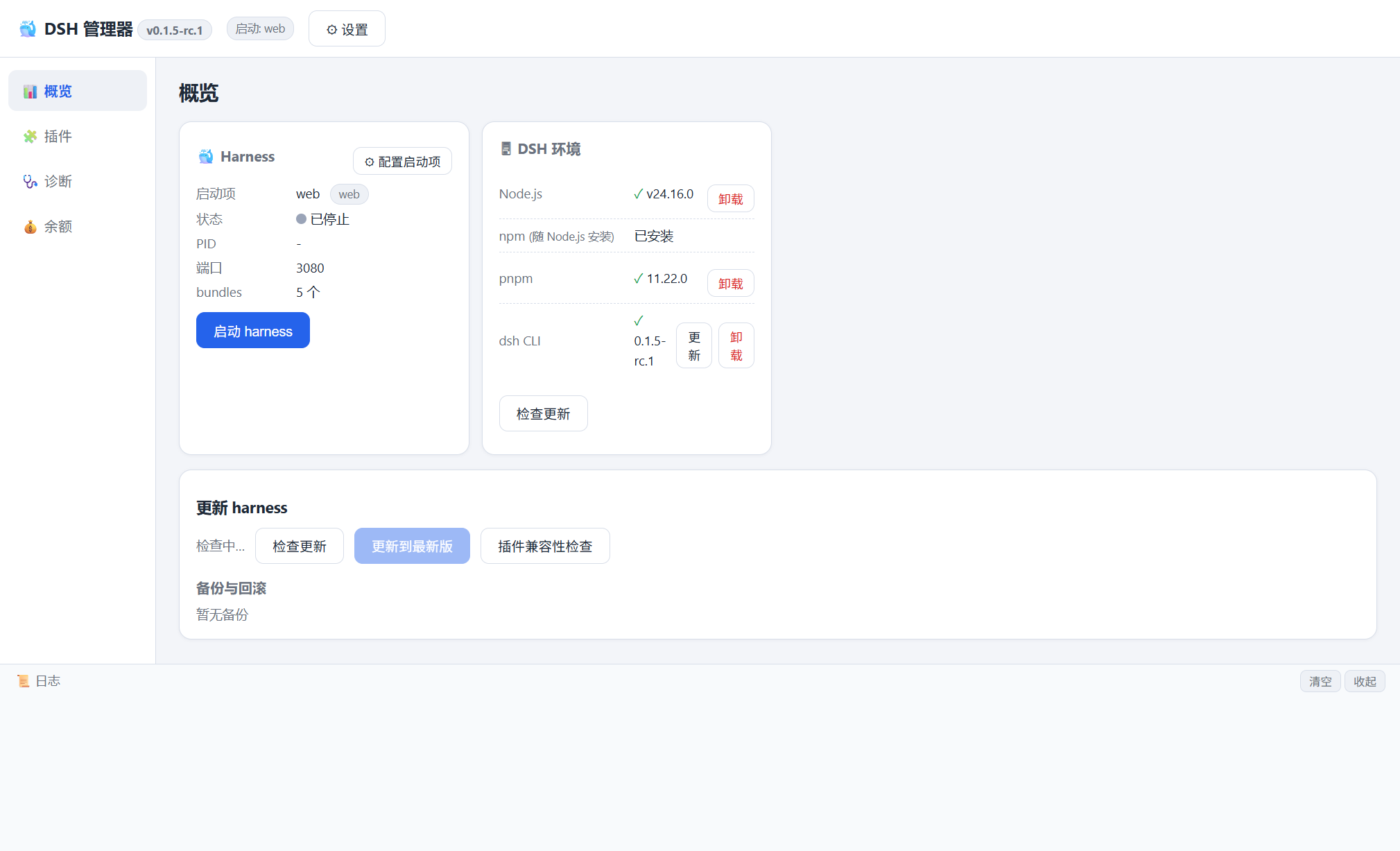
| Dashboard | Harness status (PID, port), launch/stop, launch settings per profile |
| Environment | Detect and one-click install/uninstall Node.js, npm, pnpm and the dsh CLI |
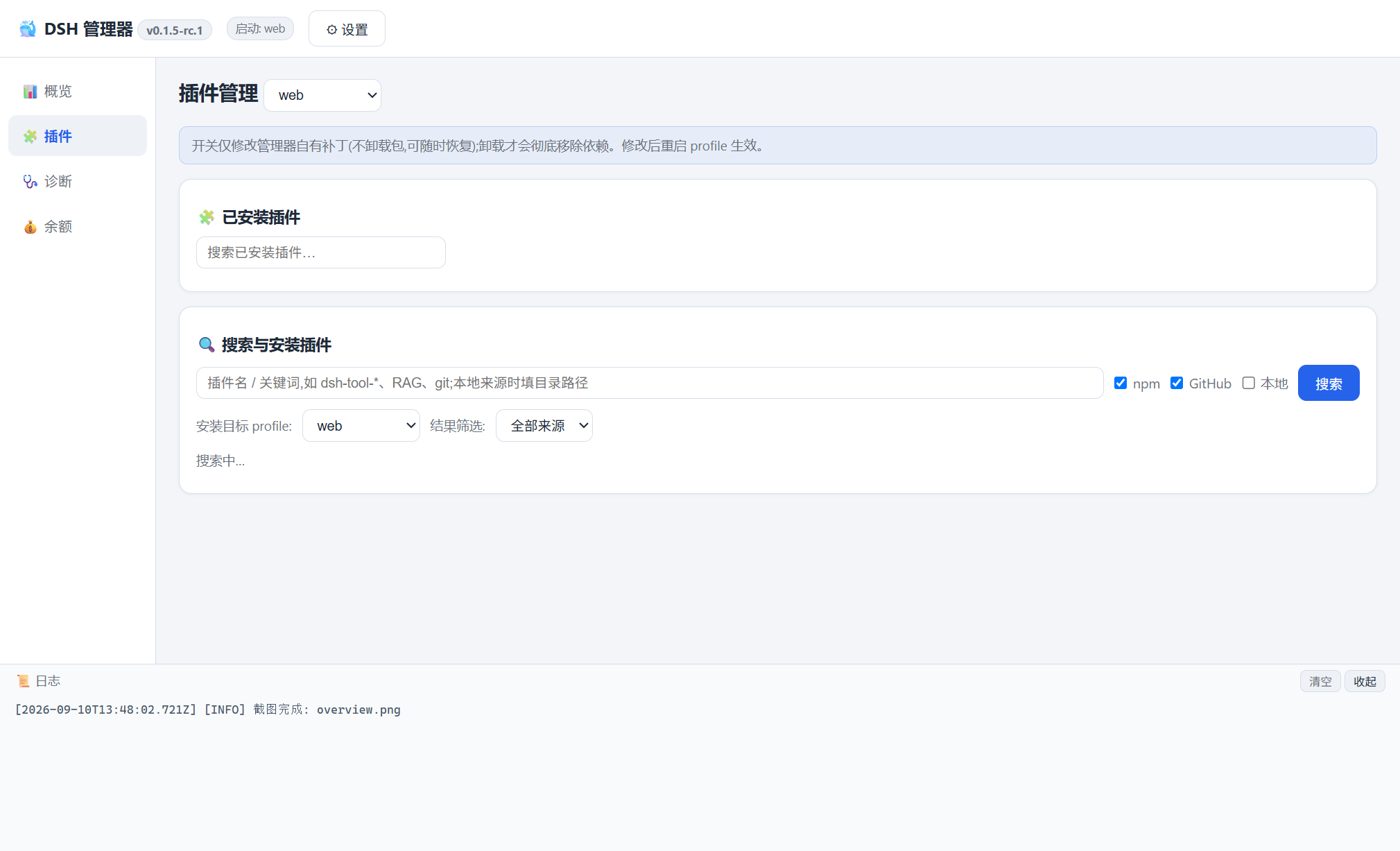
| Plugin manager | Installed plugin list (search/filter), enable, disable, update, uninstall |
| Plugin sources | npm registry, GitHub repositories, local folders |
| Dependency resolver | Detects plugin dependencies during installation |
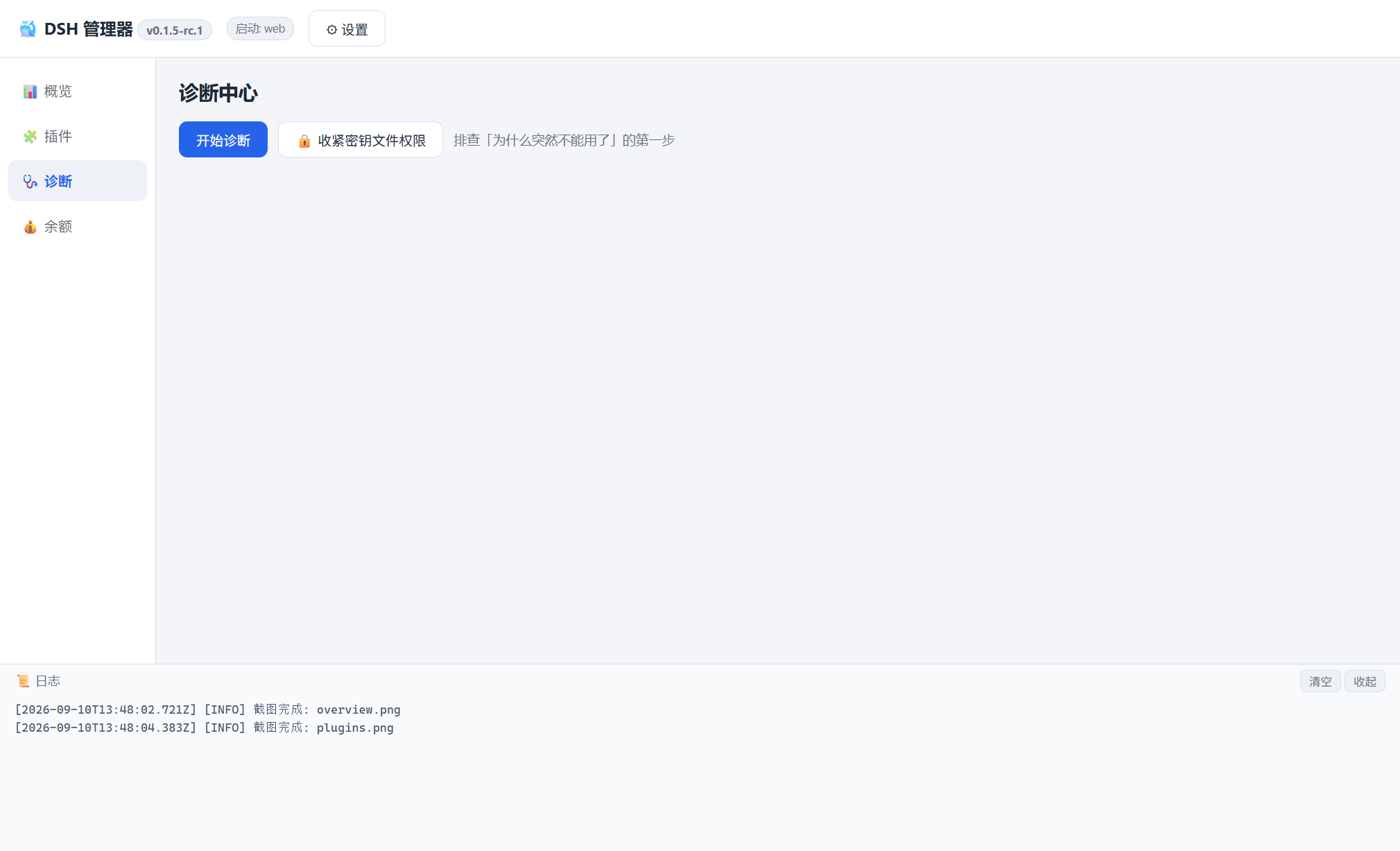
| Diagnostics | Node/npm/pnpm/dsh, profile integrity, plugin resolution, port, credentials, file permissions + Markdown report |
| Updates | Detect newer versions, back up, update with live output, roll back to a backup. Updates and rollbacks run a process pre-flight first: while any harness, CLI or the official desktop app is running, the operation is blocked (that is what makes npm fail with EBUSY), and npm failures are classified with a concrete next step |
| Compatibility | Plugin-resolution self-check that really resolves from the loader (the loader path used to be computed one level too high, so the old check always reported "OK"): per-bundle classification (resolvable / profile-only / dangling junction / missing package / broken global install), an isolated load probe, one-click junction repair, immediate re-verification, and it skips the official desktop profile |
| Official desktop | Detects the official DeepSeek Harness desktop app (registry + version + bundled runtime), shows it on the dashboard with an "open" action, and treats profiles/desktop as read-only — no start/stop, no plugin changes, no junction repair (upstream: the CLI must not start or modify that profile) |
| Session deletion | One-click install/uninstall of the community plugin @huanlin/dsh-plugin-session-delete, which adds delete-session entries inside the DSH UI (conversation-header trash button + session-row "…" menu + risk-consent dialog). The official dsh only archives sessions |
| Profiles | List profiles, choose the launch target, manage plugins per profile |
| Security | DPAPI-encrypted secrets, plaintext credential audit, ACL hardening |
| Tray & logs | System tray quick actions, live log panel |
| Balance | DeepSeek API balance (optional, Phase 2) |
Screenshots
Dashboard — status, environment, updates
Plugin manager — installed plugins and search/install
Diagnostics — environment checks, plugin resolution, security audit
Screenshots are generated from the app itself with npm run screenshots (Electron capturePage), so they never drift far from the real UI.
Download
The easiest way to get started is the latest Windows release:
Two build types are published:
| Build | Best for |
|---|---|
DeepSeek-Harness-Manager-<version>-setup.exe | Installer — recommended for normal use. Adds Start-menu and desktop shortcuts, and supports uninstalling. |
DeepSeek-Harness-Manager-<version>-portable.exe | Portable — no installation. Handy for testing or running from a USB drive. |
About the SmartScreen prompt. These builds are not code-signed yet, so the first launch may show "Windows protected your PC". That is Microsoft Defender SmartScreen reacting to an app it cannot attribute to a known publisher — not a malware detection. Choose More info → Run anyway, or right-click the downloaded file → Properties → Unblock before running it. If the release includes a
SHA256SUMS.txtasset, you can check your download withGet-FileHash <file> -Algorithm SHA256. Why this happens, and how it gets fixed, is documented in docs/DEVELOPMENT.md.
Requirements
- Windows 10 / 11 (x64)
- DeepSeek Harness (
@deepseek-ai/dsh), installed globally
You do not have to set up the environment by hand: if Node.js or the dsh CLI are missing, the dashboard offers one-click installation.
Building from source instead? See docs/DEVELOPMENT.md.
Companion plugin: open the manager from inside DSH
This repository also ships a small DSH plugin (plugin/) that puts a 管理器 pill in the
bottom-left corner of the DSH web UI:
| Pill state | What a click does |
|---|---|
| Green dot — manager found | Launches it. Already running? The existing window comes to the front (single instance). |
| Amber dot — not found | Opens the releases page so you can download it. |
The plugin holds no business logic: three local routes (/dsh-manager/status.json,
/dsh-manager/launch, /dsh-manager/panel.js) and one injected <script>. It reads
install.json written by the packaged manager, so it always points at the copy you actually run.
If the manager is missing, DSH itself is unaffected.
# install from npm
dsh plugin --profile web add dsh-harness-manager
# then restart dsh web
dsh plugin --profile web remove dsh-harness-manager   # uninstall
Working on the plugin itself? Install the local copy instead:
dsh plugin --profile web add link:/path/to/DeepSeek-Harness-Manager/plugin.
The pill can be hidden (× button); the preference is stored in localStorage. The plugin locates
the manager through DSH_MANAGER_EXE, then ~/.dsh-manager/install.json, then the usual install
locations — see plugin/README.md for details, the self-check commands
(node plugin/test/host.test.js, node plugin/test/boot-check.mjs --spec dsh-harness-manager,
node plugin/test/resolve-check.mjs) and the awesome-list submission file.
Coexisting with the official desktop app
The official DeepSeek Harness desktop app (Electron, apps/desktop upstream) is a shell: it bundles its
own dsh runtime, Node.js and pnpm, opens no listening port, and owns ~/.dsh/profiles/desktop exclusively
(upstream states the CLI must not start or modify that profile). The manager therefore:
- detects it (uninstall registry entry → version, install path, bundled Node/pnpm) and shows a dashboard card with an "open the official desktop app" button;
- treats that profile as read-only: no start/stop, no plugin enable/disable/update/uninstall, no compatibility repair, no backup/restore — the plugins page shows it with a lock banner;
- keeps the version row honest by separating the global CLI version (
npm i -g @deepseek-ai/dsh) from the desktop app's bundled runtime.
Division of labour: the desktop app is the zero-setup way to run DSH; the manager is the ops tool for the
CLI/dsh web side — multi-profile management, plugin search across sources, diagnostics, updates with backup
and rollback, credential/permission auditing. They share ~/.dsh data (sessions, settings, credentials) but
never each other's executable packages.
Usage
- Open the app — the dashboard shows whether your Harness is running, plus the DSH version and environment status.
- Fix the environment if needed — install missing Node.js / dsh pieces from the dashboard, or press Check for updates.
- Start the Harness — press Start. Command-line style profiles (for example a custom profile that expects
--probe) need their launch arguments set in Launch settings first. - Manage plugins — in Plugins: search a source, install, then enable/disable with the switch. Disabling never uninstalls: the manager keeps its own patch, so you can flip it back at any time.
- After a DSH update — the manager self-checks plugin resolution and offers a one-click repair if something no longer resolves.
- When something breaks — run Diagnostics; it produces a Markdown report you can attach to an issue.
Security
Credentials handling is deliberately conservative:
- DeepSeek API keys and GitHub tokens are stored with Windows-backed secure storage (Electron
safeStorage/ DPAPI). Decryption requires the same Windows account on the same machine. - If OS-level encryption is unavailable, the manager refuses to save secrets in plaintext (fail-closed); any legacy plaintext secret is migrated to encrypted storage at startup.
- Secrets are held by the main process only and are sent only to the official endpoints (
api.deepseek.com,api.github.com). They are not written into logs, runtime history, backups or diagnostic reports. - Diagnostics audits plaintext credentials and file permissions, and can harden permissions in one click (breaks inheritance, leaving only current user / SYSTEM / Administrators).
- The optional "skip certificate verification for GitHub" switch is off by default; enable it only on networks with TLS interception. It affects GitHub requests only.
- ⚠️ Heads-up: DeepSeek Harness itself stores provider keys in plaintext in
~/.dsh/.credentials.yaml. The manager never writes there, but Diagnostics will warn you about the exposure and offer to tighten the file permissions.
Troubleshooting
The Harness will not start
Run Diagnostics. The manager extracts the real reason from the boot output, for example:
- Plugin resolution failure —
failed to import loader entry …→ press Plugin compatibility check in the update panel and repair it. This happens when a new DSH release resolves plugins from a different location. - Port already in use — another Harness instance is still running; stop it or change the monitored port in Launch settings.
--expose-internals is required for HMR service— you are on a manager build older than v0.1.2; upgrade. (Old builds launched DSH with Electron's bundled Node, which breaks the profile boot.)
Harness is not detected
The dashboard shows the DSH version it can find. If it is empty, the CLI is not on PATH or not installed — use the dashboard's one-click install, or run npm install -g @deepseek-ai/dsh yourself.
Plugin installation fails
- Check that npm/pnpm work in a normal terminal.
- On proxy or TLS-intercepting networks, GitHub search/install may fail with
fetch failed; the search panel can enable skip certificate verification for GitHub, or use the npm / local source instead. - pnpm must be installed for profile-local installs (
npm install -g pnpm).
HTTPS certificate errors while building or downloading
See docs/TROUBLESHOOTING.md — it covers mirrors, --use-system-ca and offline builds.
Where are the logs?
~/.dsh-manager/logs/, plus the built-in log panel at the bottom of the window. Diagnostic reports are written to ~/.dsh-manager/reports/.
Architecture
┌─ Electron main process (Node.js) ──────────────────────────┐
│  dsh.js        dsh CLI wrapper (launch / stop / version)   │
│  tool.js       npm / pnpm runner (shim resolution)          │
│  profiles.js   profile discovery & metadata                 │
│  plugins/      plugin service + source adapters             │
│  overrides.js  manager-owned enable/disable patch state     │
│  status.js     process supervision & status polling         │
│  update.js     version check / backup / update / rollback   │
│  diagnose.js   diagnostics center                           │
│  env.js        environment detect / install / uninstall     │
│  compat.js     plugin-resolution compatibility + repair     │
│  security.js   credential & file-permission audit           │
│  balance.js    DeepSeek API balance                         │
│  tray.js       system tray                                  │
└───────────────┬─────────────────────────────────────────────┘
                │ IPC (contextBridge, allow-listed API)
┌───────────────▼─────────────────────────────────────────────┐
│ Renderer — plain HTML / CSS / JS, no build step             │
└─────────────────────────────────────────────────────────────┘
Design decisions worth knowing:
- Enable/disable state belongs to the manager. It is written to
~/.dsh-manager/plugins/<profile>/overrides/state.ymland injected at launch withdsh --patch. The profile's owncordis.patch.ymland the plugin packages are never touched, so a DSH update cannot overwrite your state. - DSH is launched with the real
node.exe, never with Electron's bundled Node — the latter trips the HMR internals check and aborts the profile boot. .cmdshims are parsed to their real JS entry points and executed with Node directly, which avoids Windows shell quoting problems and injection risk.- Source adapters (
src/plugins/sources/{npm,github,local}.js) share one interface; adding a new plugin source is one file. - Runtime data lives in
~/.dsh-manager/(config, backups, history, logs, reports) — delete the folder to reset.
Development
git clone https://github.com/sss-1012/DeepSeek-Harness-Manager.git
cd DeepSeek-Harness-Manager
npm install
npm start                 # run the app
node scripts/smoke.js     # smoke-test the core modules
npm run pack              # build installer + portable
npm run screenshots       # regenerate README screenshots
Full setup, mirror configuration, packaging and offline-build notes: docs/DEVELOPMENT.md.
Roadmap
- Embedded plugin details (currently opens GitHub in your browser)
- English UI (the app interface is Chinese today; only the documentation is bilingual)
- Runtime history view in the UI (the data is already recorded to disk)
- Better compatibility detection across DSH versions
- More plugin sources (curated registries)
- Update notifications for new releases
Related projects
DSH has a fast-growing ecosystem. These are worth a look (none of them are affiliated with this project):
- awesome-dsh-plugin/awesome-dsh-plugin — the curated DSH plugin list (site)
- dsh-market/dsh-market — a plugin market that lives inside DSH (site)
- anywhere-labs/deepseek-harness-desktop — alternative desktop shell for DSH (site)
- dataelement/dsh-desktop — alternative desktop shell (site)
- hairyf/deepseek-harness-desktop — Tauri-based desktop with a tiny installer (site)
- 2768651338/dsh-plugin-manager — in-DSH plugin to toggle plugins and keep notes
How this project differs: it is not another DSH UI. It is a Windows control center around the environment — one-click install of Node/pnpm/dsh, plugin search across several sources, manager-owned enable/disable state, cross-version plugin-resolution repair, global-CLI update with backup and rollback, and credential/permission auditing. It also works as a companion to the shells above: keep using your favourite DSH UI, and use the manager when something breaks.
Contributing
Bug reports, feature requests and pull requests are welcome.
- 🐞 Report a bug
- 💡 Request a feature
- 🔧 Contribute code — please run
node scripts/smoke.jsbefore opening a PR (build details: docs/DEVELOPMENT.md) - 🔒 Privacy — no telemetry; secrets stay encrypted on your machine
- 📋 Changelog · release notes
- 🤖 Working with an AI agent? Point it at AGENTS.md
When reporting a problem, attaching the diagnostics report (~/.dsh-manager/reports/) usually saves a round trip.
License
Not affiliated with DeepSeek. “DeepSeek” and “DeepSeek Harness” are used descriptively to say what this tool manages. DSH is a fast-moving preview — if you need stability, pin a dsh version you know works. If DSH Manager is useful to you, consider giving the project a star — it helps other DSH users find it.