@chenxiachan
thoughtdag
Your thinking deserves a map: an infinite canvas where LLM conversations grow into an editable thought graph. Wires are the context.
- Stars
- 671
- Language
- TypeScript
- Created
- Feb 17, 2026
- Updated
- Oct 21, 2026
Introduction

ThoughtDAG
AI conversations that branch on an infinite canvas.
Each exchange becomes a node. Wires are the context.
Explore a side question, connect useful paths, and choose what the model sees next.
Download · Website · Docs · 中文

0.5 update · CLI · Harness · Desktop · How it works · How it differs · Research
New in 0.5 · ThoughtDAG × Jev
Bring relevant past conversations into the question you are asking now.
- Find earlier work. The local index searches supported agent sessions and ThoughtDAG canvases. Topic dossiers collect decisions and open questions with links back to their sources.
- Select what belongs. The optional Jev decision layer helps identify topics and rank relevant excerpts. Your chosen language model develops the answer.
- Check what comes back. With recall enabled, the context panel lists the dossiers and excerpts added to a request. Inspect their sources or exclude individual items before continuing.
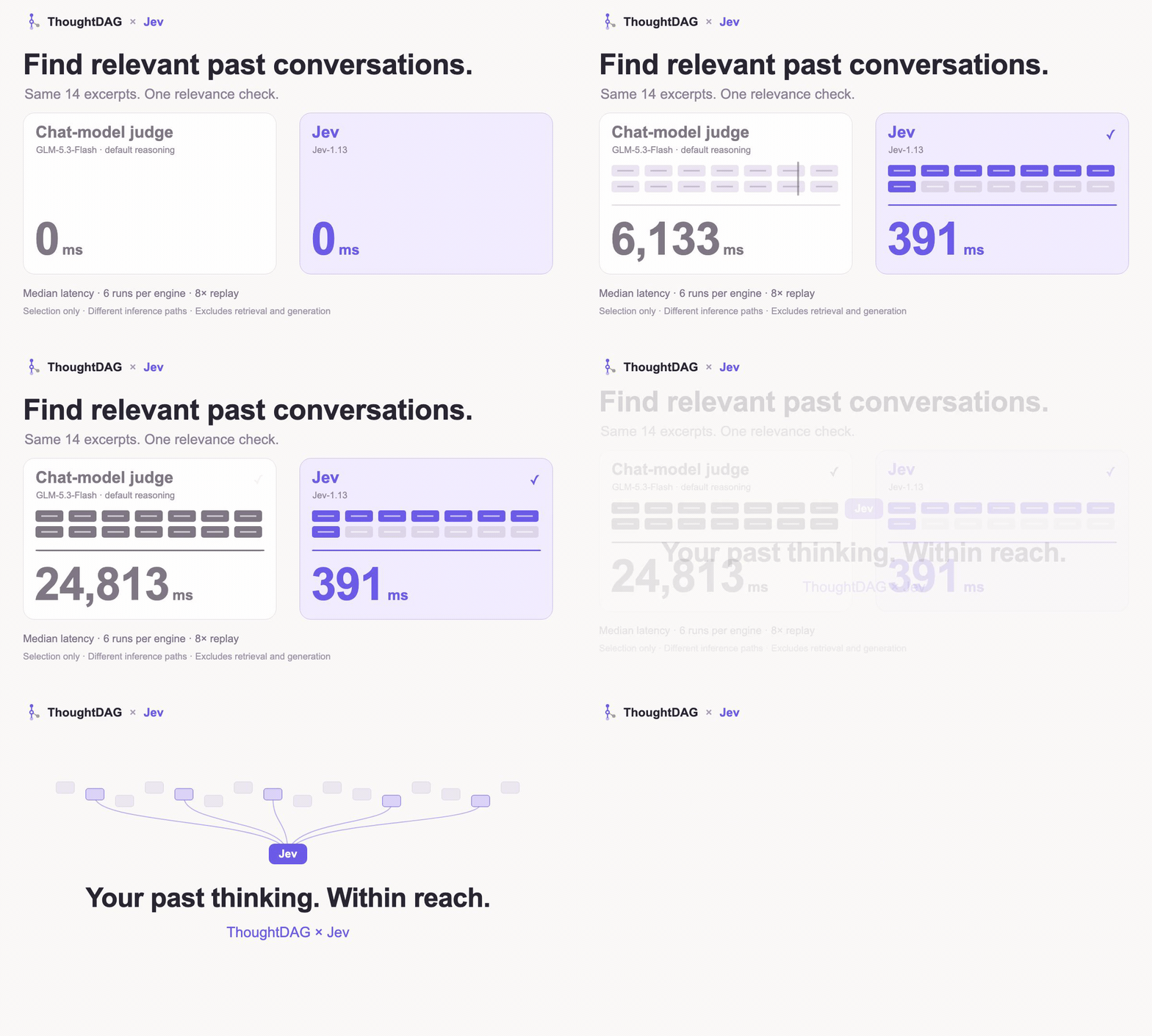
In a small relevance-selection pilot, Jev's median was 391 ms versus 24,813 ms for our GLM adapter. These are selection-stage timings, not end-to-end search or answer times.
What the timing measures
Six runs per engine over the same 14 synthetic excerpts. Median selection latency: 391 ms for Jev-1.13 and 24,813 ms for the GLM-5.3-Flash adapter with default reasoning. These are different inference paths, not a controlled ranking of model speed. Retrieval and answer generation are excluded; this does not measure whole-product speed or accuracy gains.
Without a decision model, recall falls back to rules. The System 1 / System 2-style split describes software roles here: quick relevance decisions, then answer and dossier generation. It is not a claim about human cognition.
Set up history and recall · Configure Jev
Find past context from the command line
Remember a file, a phrase or a URL, but not the session? Search local conversations and jump to the matching turn, without opening the desktop app.
npx thoughtdag why src/lib/api.ts           # conversations about this file
npx thoughtdag find "a phrase you remember" # matching conversation turns
npx thoughtdag topics                       # topics in your local index
For regular use: npm install -g thoughtdag. Run thoughtdag setup mcp to expose read-only history tools to your agent. Retrieve the relevant turns rather than replaying a whole session. CLI guide →
Inside DeepSeek Harness
Switch between chat and ThoughtDAG's graph inside the harness. Choose the context on the canvas; the harness runs the next turn.
In the DeepSeek Harness desktop app (0.2.0-rc.2 or later): open Plugins, search for dsh-thoughtdag, install it, and restart Harness. A release published within the last 24 hours needs its version named, dsh-thoughtdag@<version> (pnpm holds back such versions by default). For the web profile, from the command line:
dsh plugin --profile web add dsh-thoughtdag
dsh web
The plugin bundles the canvas and memory layer. Requires Node 22.19+ (22.x) or 24+, and DeepSeek Harness 0.1.2-rc.1 or later. Plugin guide →
With the web switch on, the harness's own models search through Harness's web search. The search service and its billing are set in Harness under Plugins › Built-in plugin settings › Web search. Turning on the new Web Search API there gives each result an excerpt; the default service usually returns titles and links only.
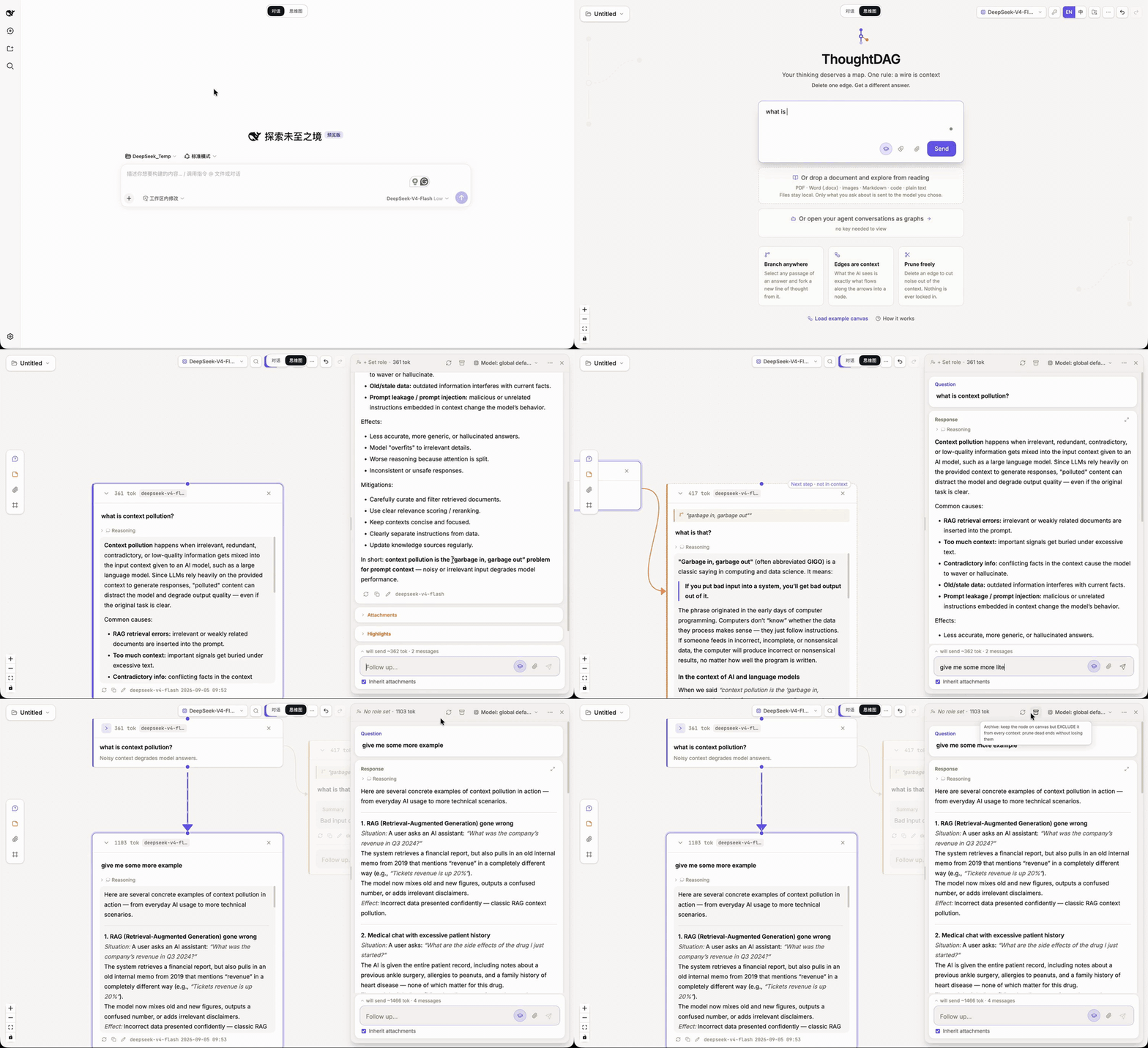
The desktop app
Read a document beside your conversation, branch from a passage, and connect the paths you want to explore together. Use your own model connection.
brew install --cask thoughtdag
Or download for macOS, Windows or Linux, connect a model and open the example canvas.
The one rule
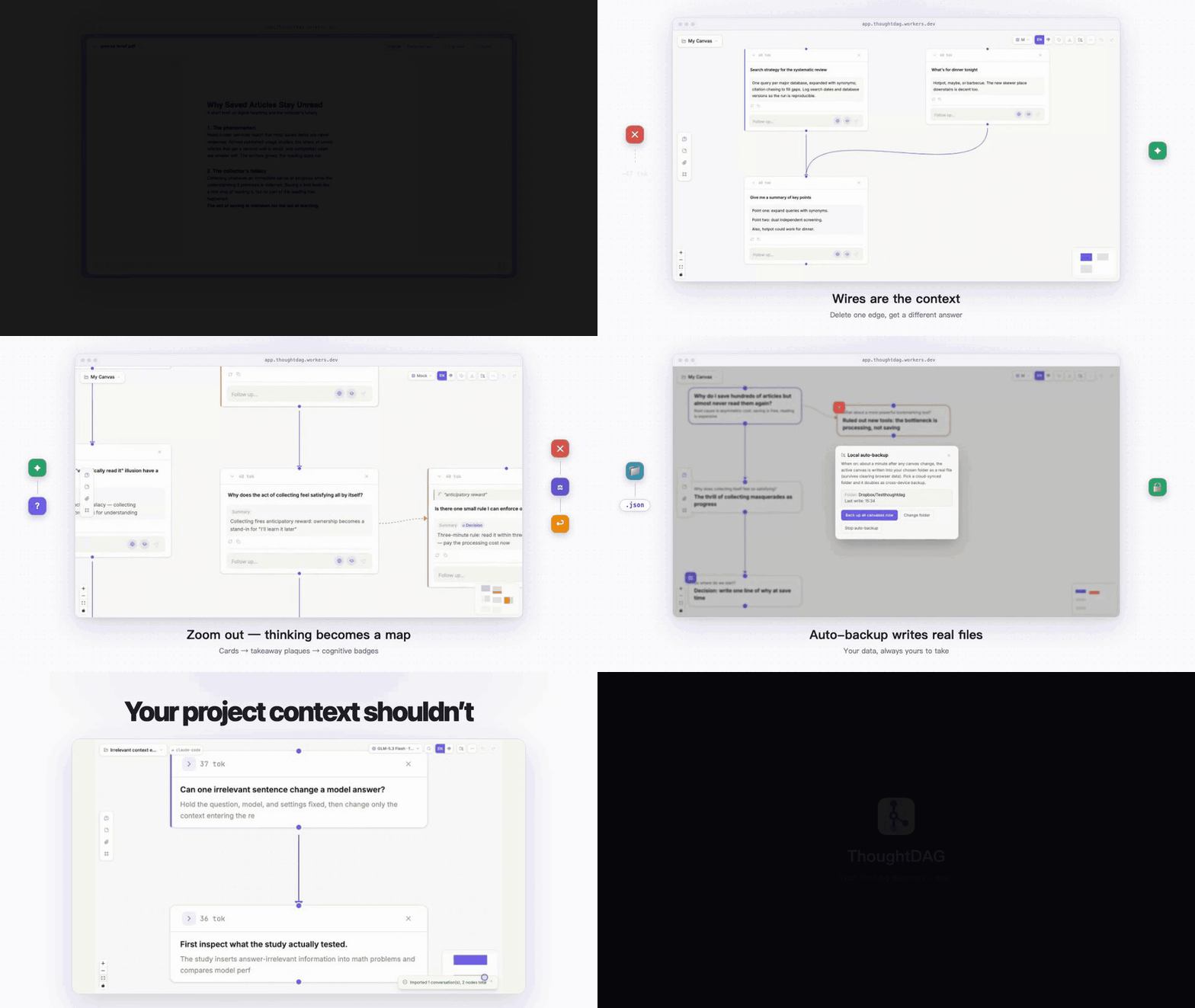
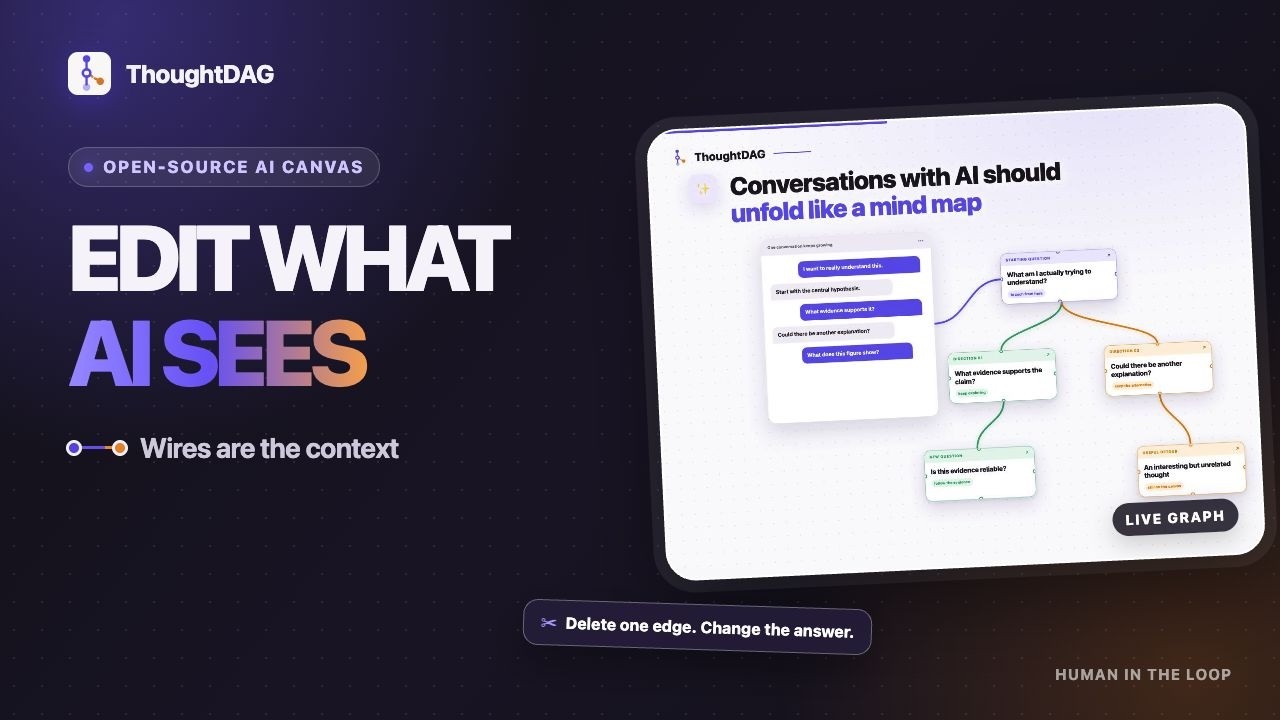
Wires are the context. Connect conversation paths to use them in the next question. Disconnect a path without deleting the work.
Branch from a detail, explore it separately, then connect the useful parts to a later question. The graph changes the model's input, not just the layout.
Preview what the model will receive before sending. Wires select the conversation paths; explicit references and enabled recall can add material alongside them. Context guide →
In action
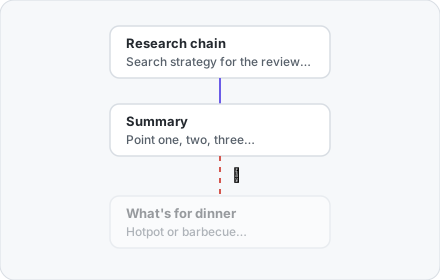 |
✂️ Change the context, keep the explorationSelect text in an answer to start a side branch. Disconnect that branch from a later question, then regenerate to compare. Its nodes stay on the canvas: keep exploring from them or reconnect them later. |
📖 Read, clip, and askOpen a PDF, image or HTML alongside the graph. Ask about a passage or clip a figure into its own node. PDF clips keep their page reference, so you can check the source as the discussion develops. | 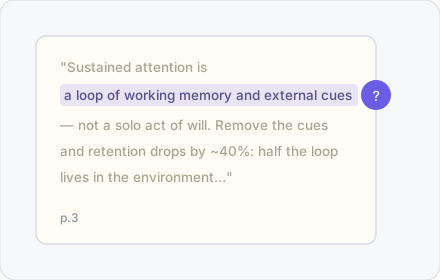 |
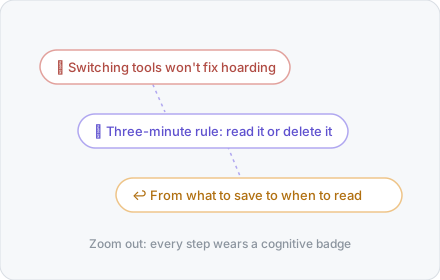 |
💎 Condense the path; weave the highlightsCondense creates a shorter copy of a conversation path while preserving the original. Weave turns selected highlights into cited prose. Continue from the result, or export it as Markdown. Zooming out changes the view, not the context. |
🧭 Session Atlas: continue an earlier conversationOpen a supported local agent session as a graph. Pick where to branch or continue; use the history index to find related discussions from other sessions. Atlas provides the view, and recall helps find what to bring in. Supports local Claude Code, Codex, DeepSeek Harness and Pi sessions. Source sessions remain read-only. | 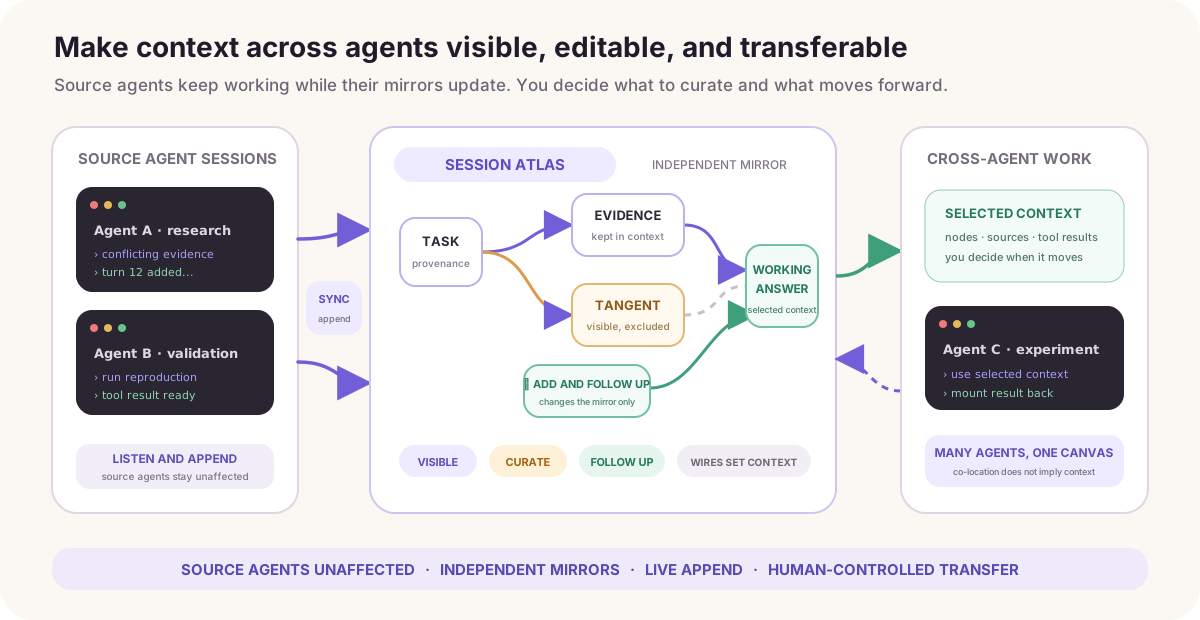 |
How ThoughtDAG differs
Nodes and edges serve different purposes. Here is where ThoughtDAG fits:
| Product category | ThoughtDAG's focus |
|---|---|
| Linear chat | Keep several lines of inquiry visible and choose which ones continue into the next question. |
| Mind maps and whiteboards | Use connections to change model input, not just organize ideas visually. |
| Branching chat canvases | Connect several branches into one question, or disconnect a path while keeping its nodes. |
| Agent workflow canvases | Edit conversational context as you explore, rather than design a pipeline of automated tasks. |
| Retrieval and automatic memory | Inspect source-linked dossiers and recalled excerpts; edit or exclude what the next request uses. |
| Code graphs and conversation search | Find the discussions behind a file or topic across supported agents, then continue from them. |
| Harness context viewers | Move from inspecting a session to composing and sending its next turn. |
These categories overlap; individual tools may share capabilities. ThoughtDAG is not an autonomous research agent or a replacement for your coding harness. Retrieval can miss relevant history, and generated dossiers still need checking.
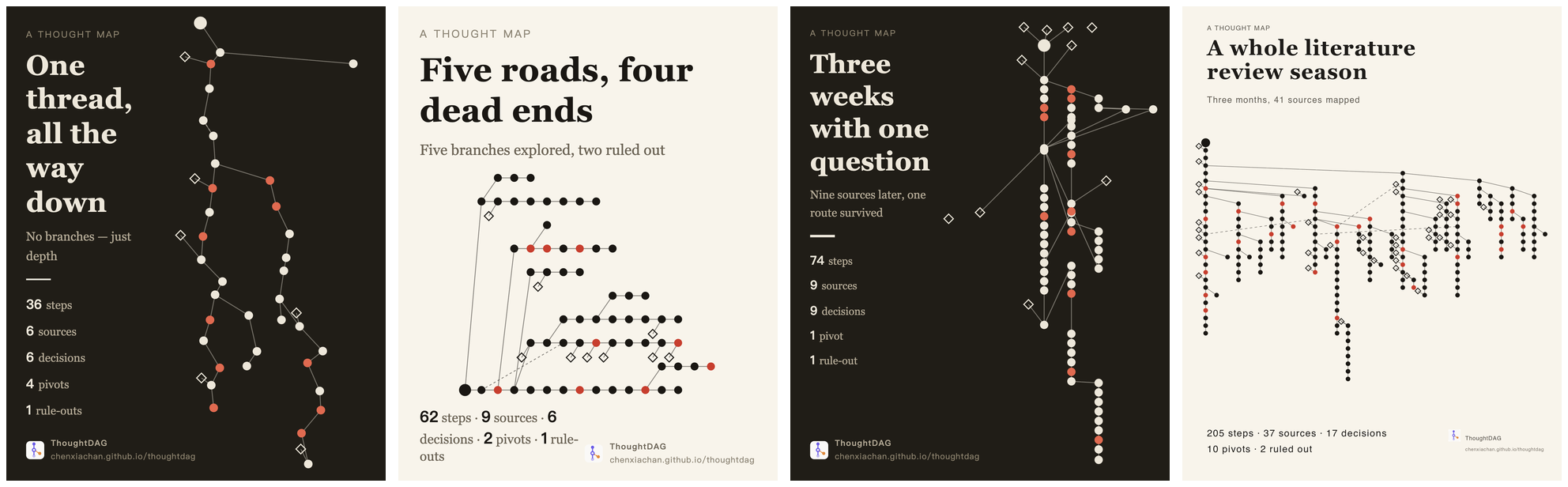
🗺️ Export the shape of your thinking
Export the canvas as a Thought Map: nodes, wires and structural counts, without the full conversation text. Use it to share how an investigation branched, narrowed and came together.
More ways to run
Run from source
npm install
npm run server    # LLM proxy :3001
npm run dev       # frontend :5173
Configure a model in the app or through environment variables. Local setup →
Browser demo
The browser demo includes an example canvas that needs no API key. It is a subset: local session discovery, Session Atlas and the local history/memory layer require desktop or local hosting.
🧪 Research: Why editable context matters
Context Intervention Benchmark · Pilot v2
9 model endpoints · 1,485 scored responses · exact-match scoring
Deleting a wrong claim may leave its consequences in later replies. In our synthetic pilot, removing the source alone repaired 152 of 162 affected model-cases; removing the contaminated subgraph repaired 162, and recomputing descendants repaired 161. The report includes the protocol, results and limitations. This is a context-intervention experiment, not a general model leaderboard.
Read the case study · Methods and results · Suggest a model
More capabilities
| Capability | What it adds to the same workflow |
|---|---|
| Request preview | Check the conversation, references and recalled material assembled for the next call. |
| Staleness and replay | Review dependent answers after an upstream edit; rerun in dependency order. |
| Per-node model selection | Try a different model on a branch without changing the entire canvas. |
| Read-only sharing | Share a graph for others to inspect; preview its contents before publishing. |
| Folder backup | Save canvases as local files and keep a recoverable copy outside browser storage. |
Full capabilities and roadmap →
Models, cost & privacy
Canvases, documents, the index and dossiers are stored locally. Remote model calls send relevant content to your configured providers, including decision and dossier-generation calls. Provider charges may apply; disabling Jev does not disable ordinary model calls.
Connect local Ollama or an OpenAI-compatible endpoint. Inside DeepSeek Harness, inference uses the harness's providers and keys. Web search uses the engine picked in the model menu: Zhipu GLM, AnySearch (keyless on local runs), or DeepSeek Search with your DeepSeek key, billed per successful search ($0.75 per 1,000). Export backups and Markdown, and review text and metadata before sharing. Setup and privacy details →
Contributors


Contributions are welcome — start with CONTRIBUTING.md.
Supporters
With gratitude to @andreilaiter, ThoughtDAG's first supporter, and to everyone helping this independent open-source project grow.