
 @TABmk
dsh-theme-ascetic
ASCetic — compact ASCII / terminal theme for DeepSeek Harness: 19 palettes, 3 densities, vim-style status line, ascii.rest art
- Stars
- 4
- Language
- JavaScript
- Created
- Oct 25, 2026
- Updated
- Oct 26, 2026
Introduction
ASCetic
A compact ASCII / terminal theme for DeepSeek Harness.
ASCII + ascetic: nothing extra, everything drawn in characters.



Features
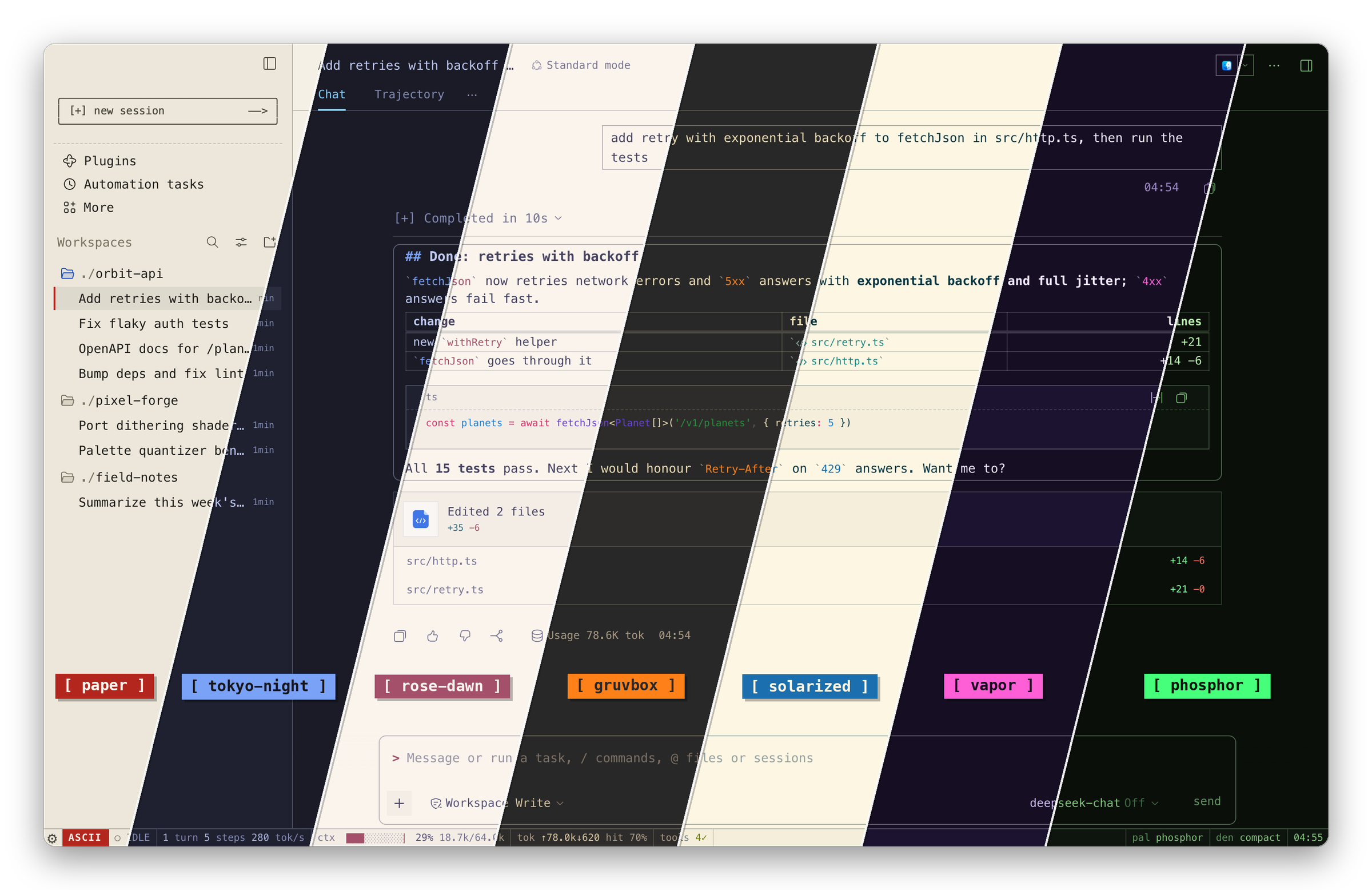
- Terminal look. Monospace everywhere, square box-drawing chrome, hard drop shadows, Markdown that reads like source.
- 19 palettes. Retro monitors (
phosphor,amber,ice,mono),vapor, schemes after editor favourites, plusautoandhost. - 3 densities.
cozy,compact,dense: rows, spacing and type tighten together. - Status line. Agent state and turn timer, steps and tok/s, a context meter, tokens and tool calls; click a segment for its details.
- ASCII art. Hero scenes from ascii.rest on empty sessions, a framed New Session button, a retro boot intro with your own logo text.
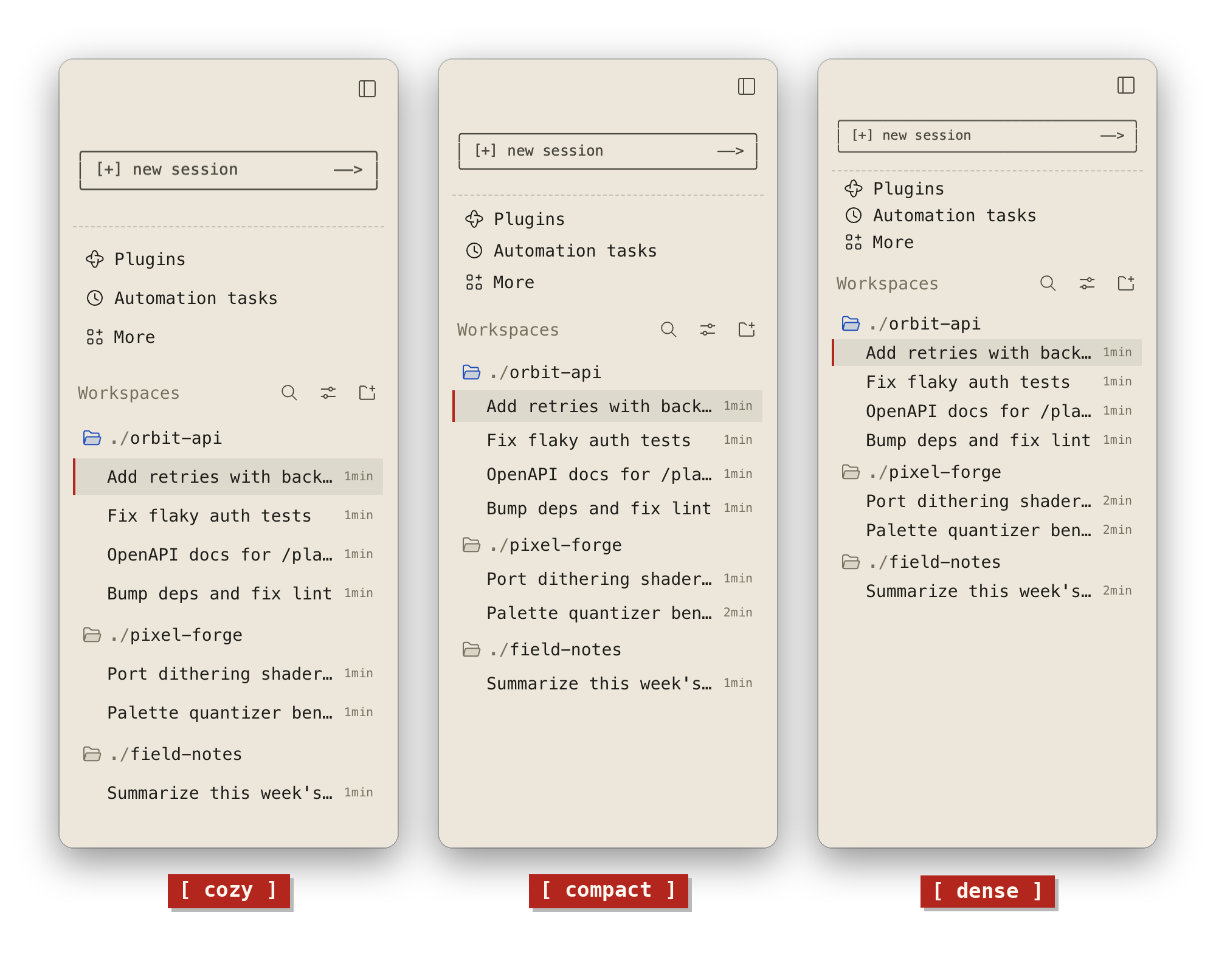
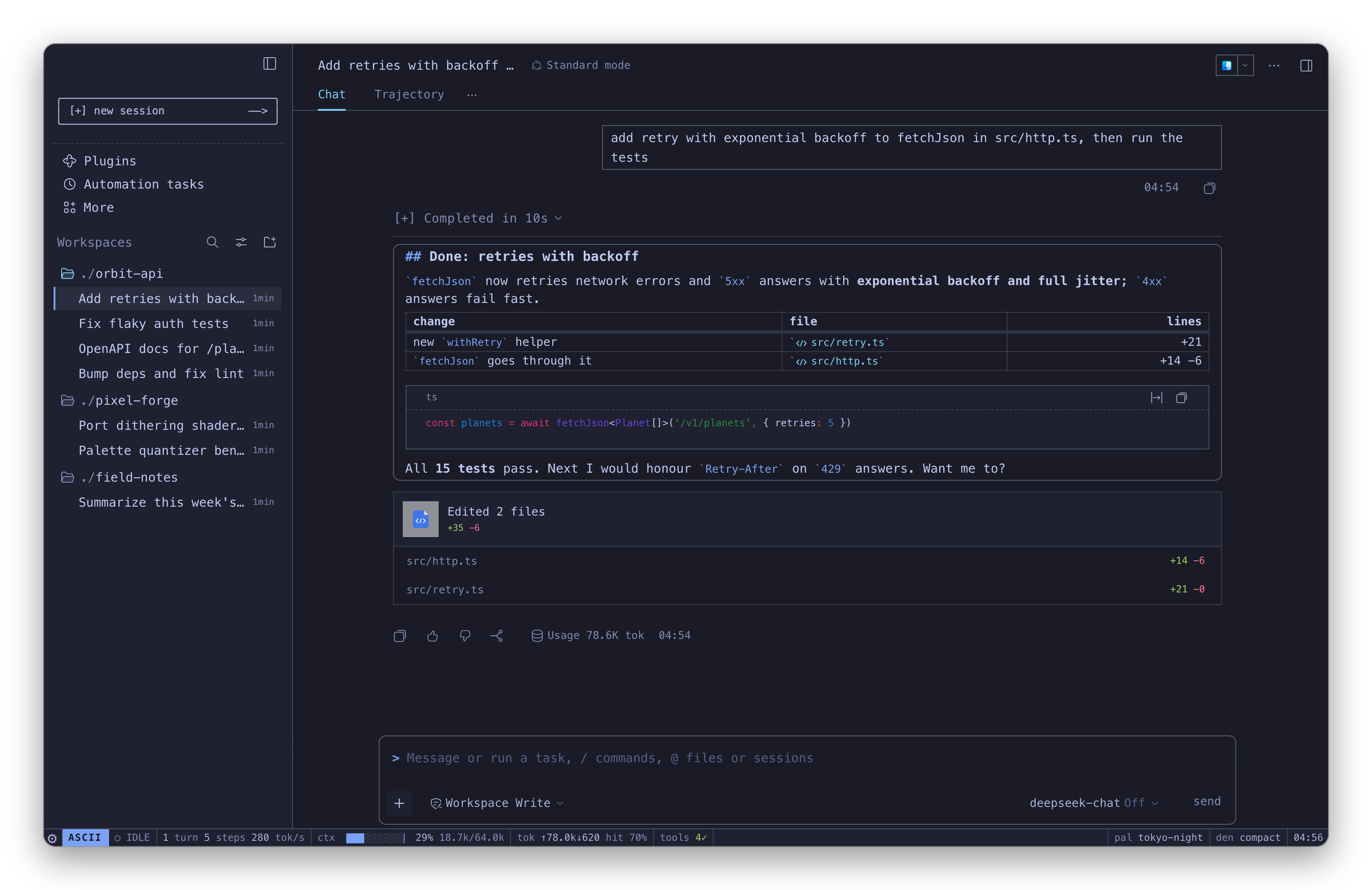 A session in tokyo-night | 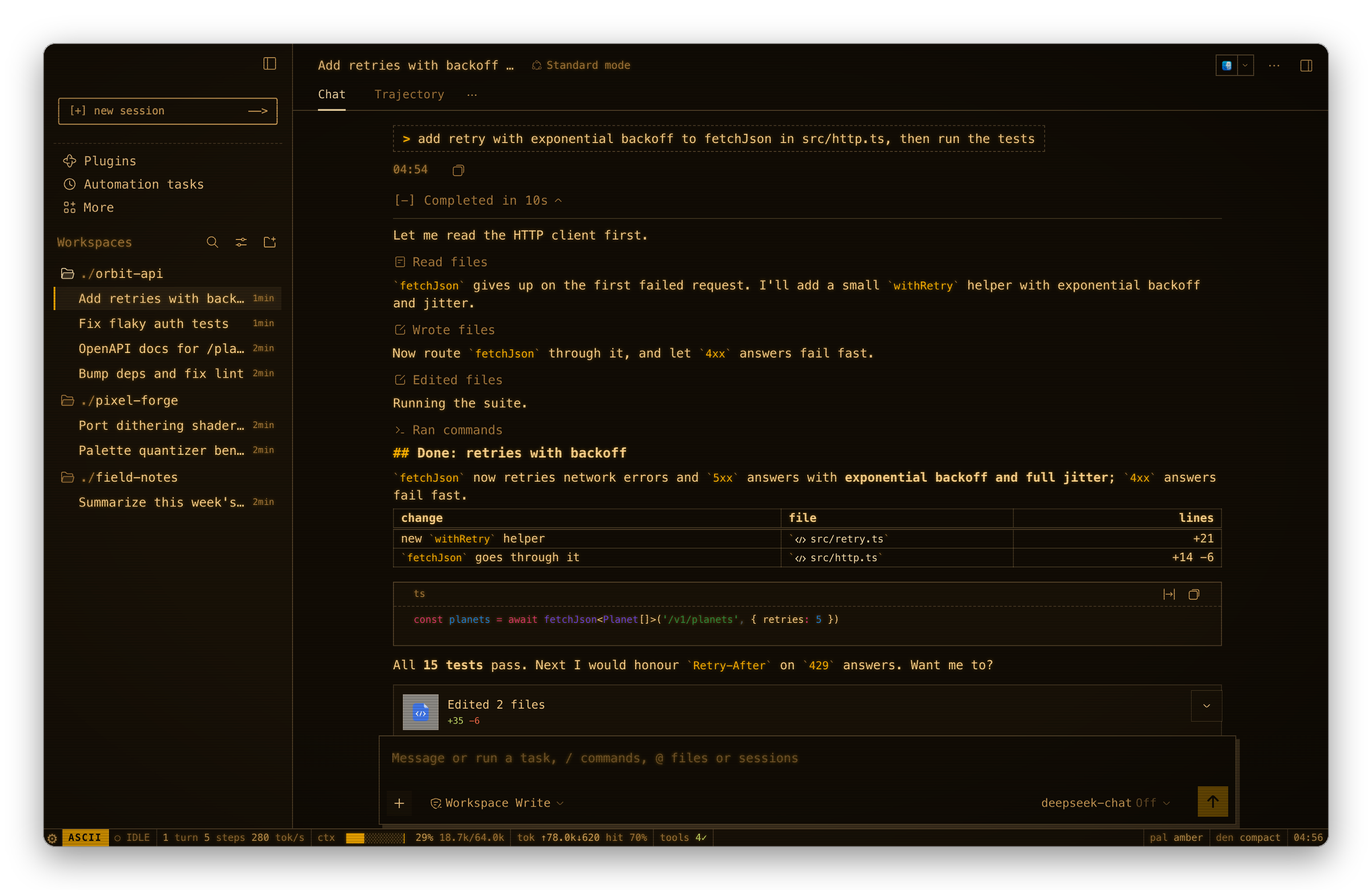 terminal chat style on amber, CRT scanlines on |
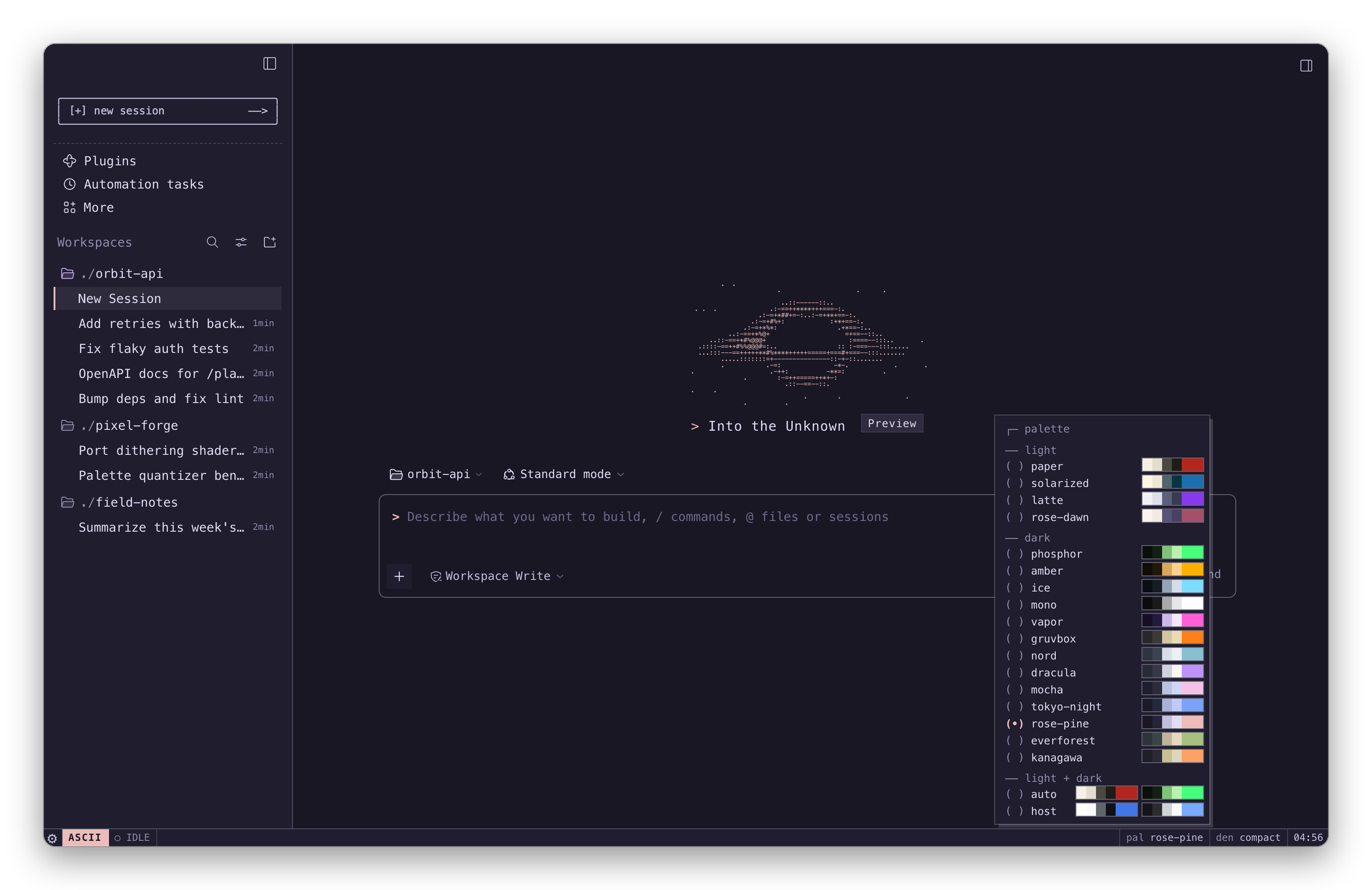 Palette picker with swatches, rose-pine | 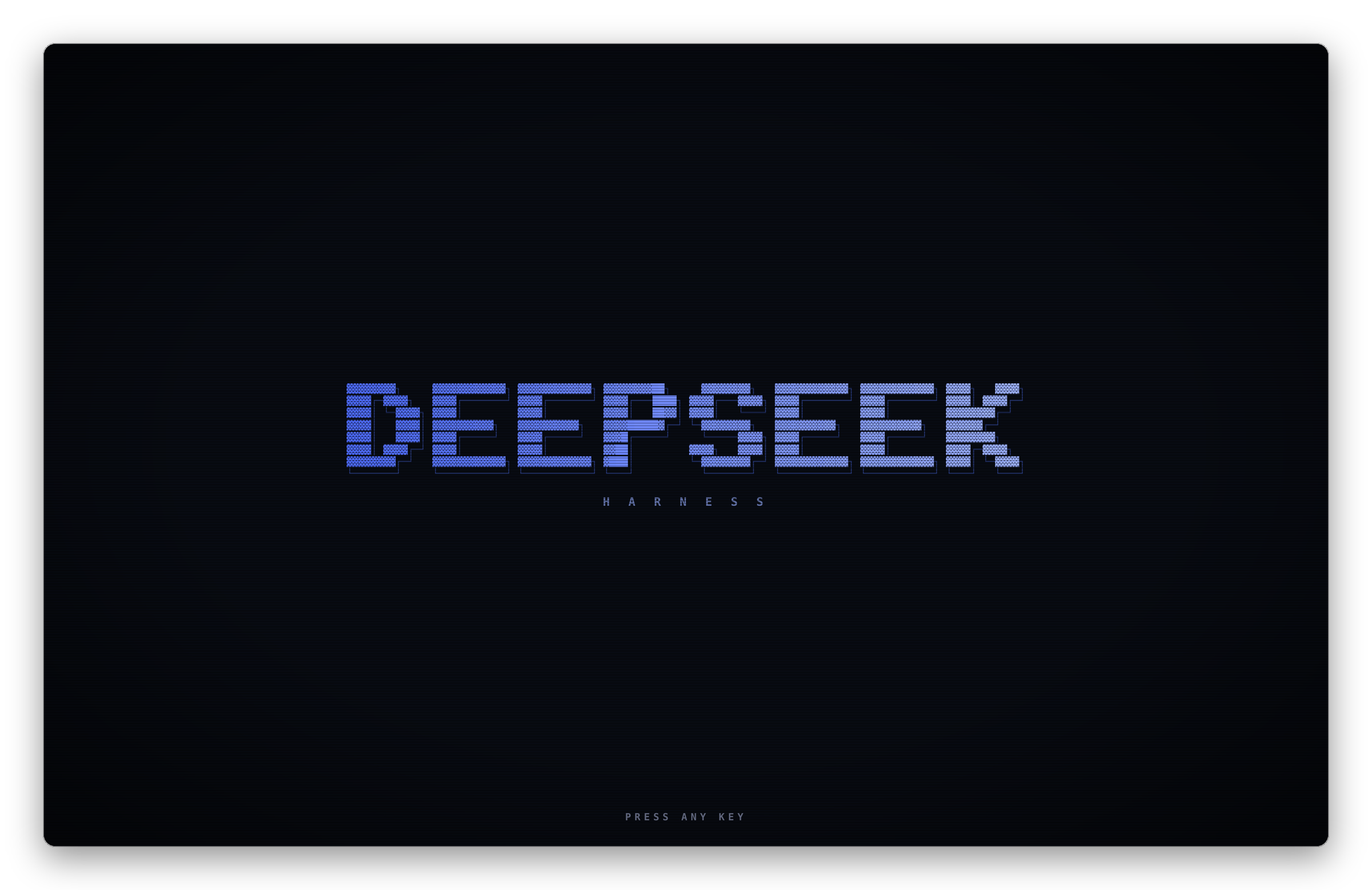 Boot intro; the logo text is yours to change |
Install
Desktop
Open Plugins → Add plugin, paste the address and press Install:
https://github.com/TABmk/dsh-theme-ascetic
Web
dsh plugin --profile web add github:TABmk/dsh-theme-ascetic
Then restart DeepSeek Harness.
Update
Desktop: open Plugins → dsh-theme-ascetic, press Uninstall and add it again.
Web: run the command again. Your settings are kept.
Use
| Where | What |
|---|---|
ASCII in the status line | Quick menu: palette, density, chat style, hero art, logo text, toggles |
pal / den segments | Pickers; the palette list shows each palette's colours |
⚙ in the status line | The stock menu: Settings, Feedback, account |
| Hero art on an empty session | Click for the next art; random draws a new one per session |
| Settings → General → ASCetic | Every option in one place |
Tested on DeepSeek Harness 0.2.1-rc.3.
Thanks to ascii.rest
All the ASCII art in ASCetic comes from ascii.rest by bas3line:
the hero scenes, the glinting block-letter banner, the chat piece, and the mount() engine that draws
the New Session button and the boot intro cell by cell. It is a lovely library, and this theme would be a
lot plainer without it. Thank you!
Palettes are inspired by Gruvbox, Nord, Dracula, Catppuccin, Tokyo Night, Rosé Pine, Everforest, Kanagawa and Solarized; colours were adjusted where text needed more contrast.