
 @HrxSpace
dsh-session-sweeper
DSH 插件,扫描管理电脑本地所有终端的会话(Claude Code、Codex、Workbuddy、DSH等)
- Stars
- 0
- Language
- TypeScript
- Created
- Sep 4, 2026
- Updated
- Sep 8, 2026
Introduction
dsh-session-sweeper — 会话清道夫 (Session Sweeper)
Scan, view, and safely clean local AI terminal session histories — Claude Code, Codex CLI, WorkBuddy, and DSH itself — from a dedicated card in the DSH Web UI (Settings → 会话清道夫 / Session Sweeper).
Screenshots
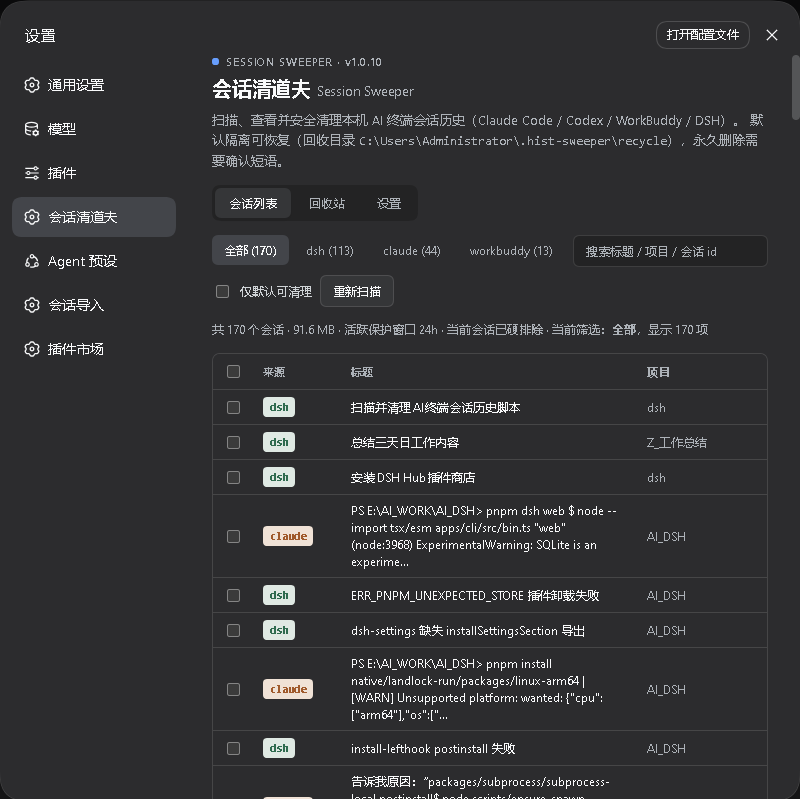
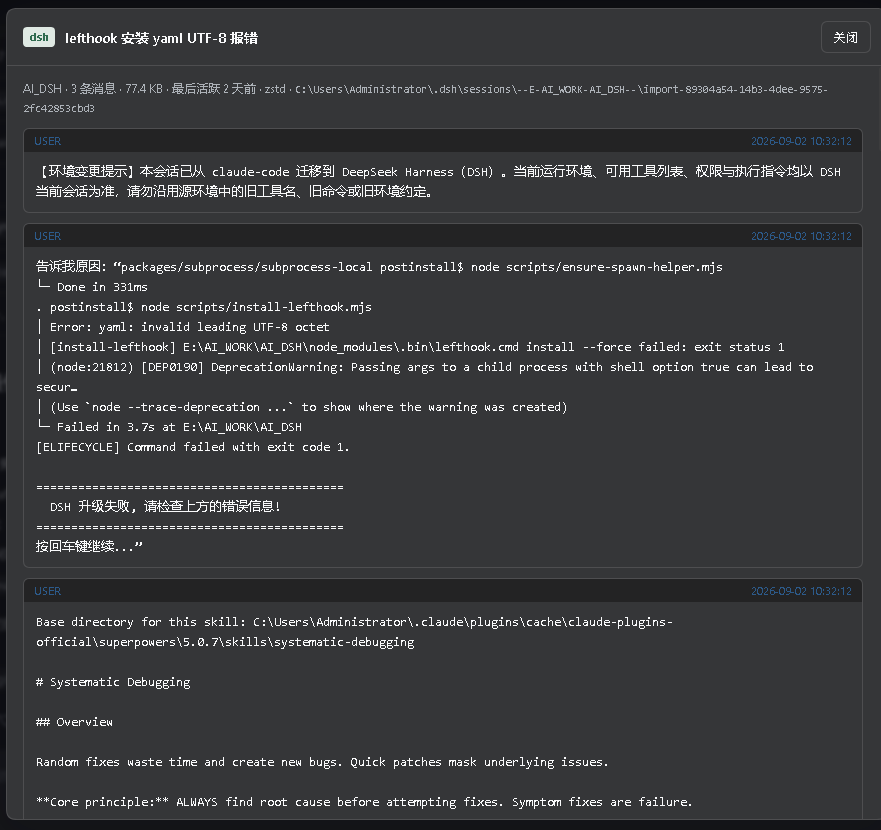
| Session list | Message preview |
|---|---|
 |  |
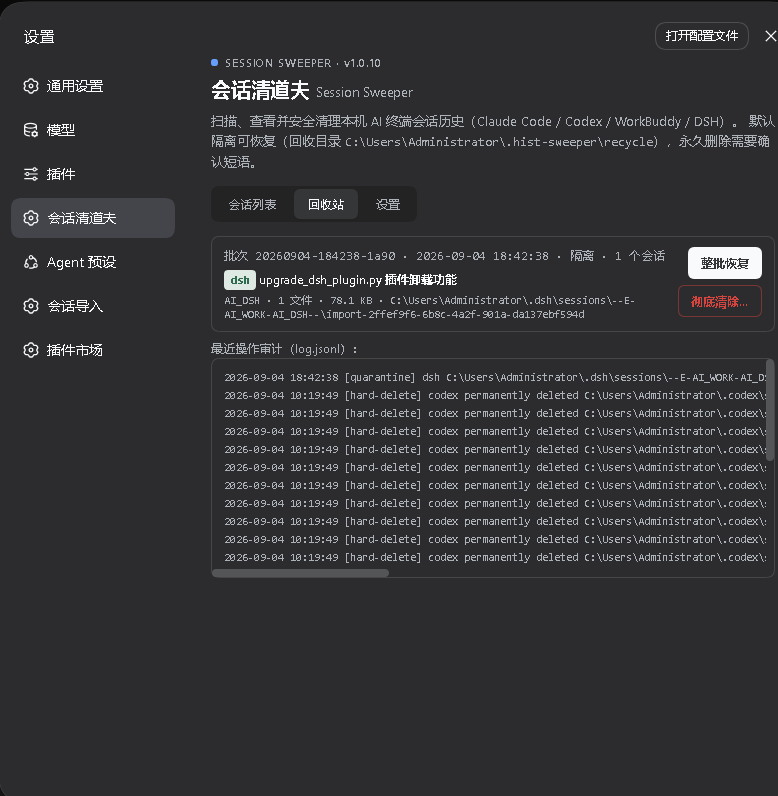
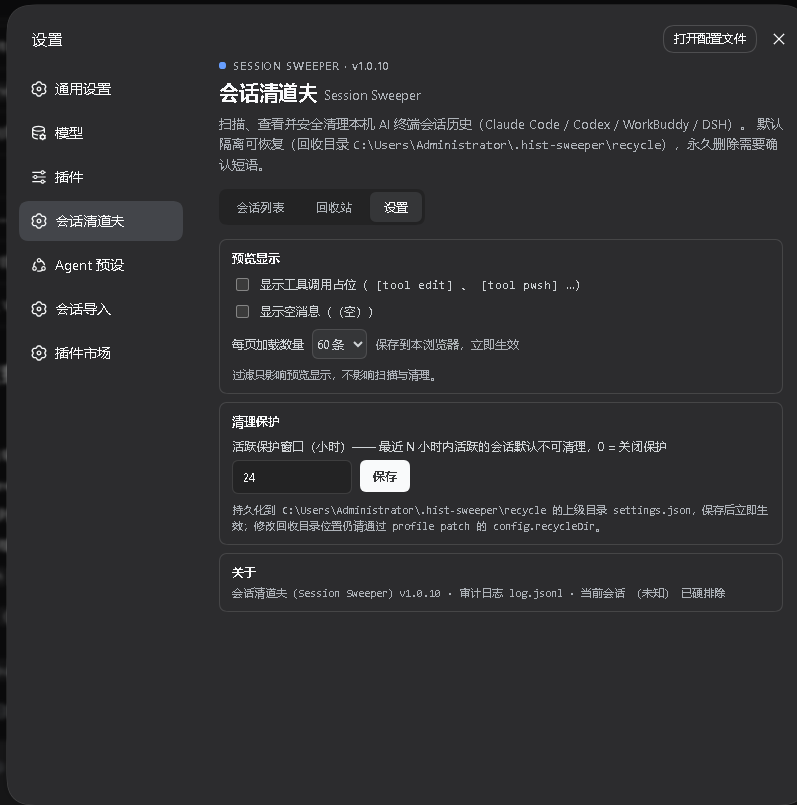
| Recycle bin | Settings |
 |  |
What it does
- Scan every supported source under your home directory and list sessions with title, project, message count, size, and last-active time.
- View session contents (user/assistant messages, tool calls) in a paged preview — including DSH logs stored as concatenated zstd frames.
- Clean selected sessions. The default action is quarantine: the whole artifact (file, or session directory for DSH) is moved into a recycle directory with a manifest recording the original path and a SHA-256 per file. One click restores a batch byte-for-byte.
- Hard delete is available but requires typing the confirmation phrase
DELETE; it leaves an audit tombstone only.
Data safety model
| Guard | Behavior |
|---|---|
| Quarantine-first | Default clean moves artifacts to ~/.hist-sweeper/recycle/<batchId>/ — always restorable |
| Active guard | Sessions modified within guardHours (default 24) are skipped unless you explicitly include them |
| Current session | The session served by the running DSH process is never cleanable |
| Lock detection | Files that cannot be opened are skipped without aborting the batch |
| Audit log | Every operation is appended to ~/.hist-sweeper/recycle/log.jsonl and shown in the Recycle tab |
| Scope | Touches nothing besides session artifacts — never configs, credentials, memory, or todos |
Install
From a packed tarball (no build scripts, lib/ is prebuilt and committed):
dsh plugin --profile web add ./dsh-session-sweeper-1.0.0.tgz
From git (lib/ is committed, so no prepare build permission is needed):
dsh plugin --profile web add github:HrxSpace/dsh-session-sweeper
Restart dsh web afterwards and open Settings → Session Sweeper.
Configuration
Both options can be overridden on the plugin row in your profile's
cordis.patch.yml:
| Option | Default | Meaning |
|---|---|---|
guardHours | 24 | Active-guard window in hours |
recycleDir | ~/.hist-sweeper/recycle | Quarantine destination |
Test hooks (not for daily use): DSH_SWEEPER_HOME / DSH_SWEEPER_RECYCLE
redirect the scanned home and recycle root — used by the test suite to run
against synthetic trees.
Uninstall
dsh plugin --profile web remove dsh-session-sweeper
The recycle directory and audit log survive uninstalling (they are your
recovery path); delete ~/.hist-sweeper manually once you no longer need
them.
Permissions & network
- Reads:
~/.claude/projects/**,~/.codex/sessions/**(incl.archived_sessions),~/.workbuddy/projects/**,~/.dsh/sessions/** - Writes: only the recycle directory
- Serves a same-origin-only JSON API (
/sweeper/api/*) on the DSH web server; cross-origin requests are rejected - No network access, no lifecycle scripts, zero runtime dependencies beyond node builtins (react is provided by the DSH client runtime)
Development
# build (any tsdown ≥0.22 works; lib/ output is committed)
npx tsdown

# tests (node:test + tsx, zero package installs)
node --import tsx/esm --test tests/sweeper.test.ts

# dev instance with the local build overlaid
pnpm dsh --profile web --patch ./cordis.dev.yml --port 3180 --no-open
License
MIT